
Search for how to edit videos with Claude and two questions come up together. One is whether Claude can do the editing work at all. The other is whether it can work inside the editor you already use, which for a lot of creators is CapCut.
We tested Claude Code with ffmpeg for cuts and captions. Files can go to CapCut; Claude Desktop computer use with CapCut is untested.
Can Claude edit videos in CapCut?
As of October 13, 2026 we found no official CapCut connector for Claude, no official CapCut MCP server and no public API for editing a CapCut timeline.
Claude Desktop also offers computer use to interact with applications through the screen, mouse and keyboard, when enabled and with the required app permissions. We have not tested its CapCut compatibility or editing results.
- Community draft generators. VectCutAPI (formerly CapCutAPI) is an independent open-source project that writes draft files CapCut and JianYing can open, and it includes an MCP server that Claude Code can call. Some community "capcut-mcp" projects build on it. You still open the draft in CapCut to review and export it, and CapCut doesn't publish its draft format, so an app update can break these tools. We haven't tested them inside Orkas.
- CapCut's own assistant. The CapCut PC app has EditPilot, a chat-style editor built into CapCut. It runs on CapCut's side, not on Claude.
- Plain files. The route that needs no integration: let Claude make the rough cut and a caption file, then open both in CapCut. CapCut's desktop and web editors can import an .srt file from the Captions panel.
What Claude can actually do with a video
The Claude chat app isn't the place for this: footage is large, and the edit needs programs like ffmpeg running against your files. Claude Code can do it, because it runs programs on your computer. Give it two free tools and most of the repetitive work is within reach:
- ffmpeg cuts, joins, resizes and re-encodes video, and can burn captions into the picture.
- A speech-to-text model such as whisper.cpp turns the audio into a transcript with timestamps.
With those, Claude Code can remove long pauses, drop filler words, write and burn in captions, make a vertical version, trim to a time range and export several formats. It doesn't watch the video the way you do. It works from the transcript, the audio levels and any frames it pulls out, so choices about the story, the pacing and the best take stay with you. Hand it the mechanical passes and keep the creative calls.
Our test: a 30-second talking clip
We ran Claude Code 2.1.294 inside Orkas on a Mac (Apple M4 Max), with ffmpeg 7.0 and whisper.cpp using the multilingual base model. The source stood in for a talking-head take: a 1080p clip with a computer voice reading a short script, with long pauses and four "um" and "uh" sounds left in.
The request, in plain words: remove pauses longer than 0.6 seconds but leave a quarter of a second, cut the filler words, burn in captions, and export a 16:9 and a 9:16 version. What happened:
- Claude Code first transcribed the clip with word timestamps. The small model's timestamps drifted: the first word was stamped at 0.0 seconds, although speech started at 1.5. Cutting at those times would have clipped words.
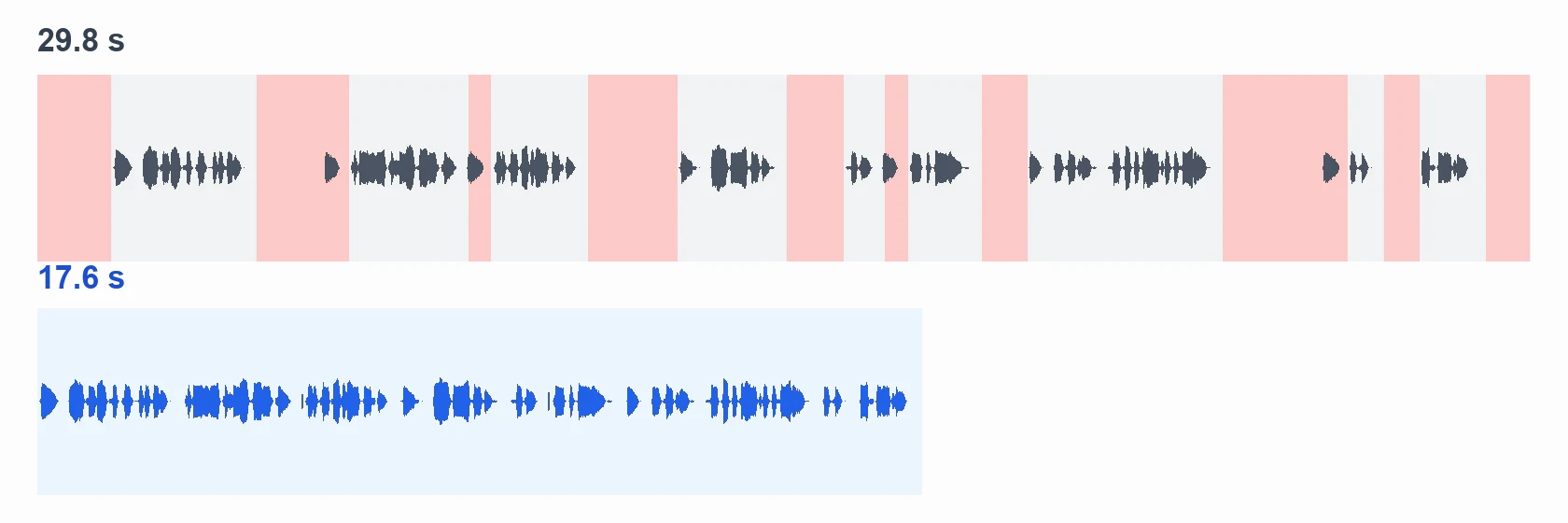
- So it changed method. It found every pause with ffmpeg's silence detection, split the audio into 17 short stretches of speech, transcribed each stretch on its own and dropped the four that held only a filler word. Every kept and removed range went into a cut list with the reason.
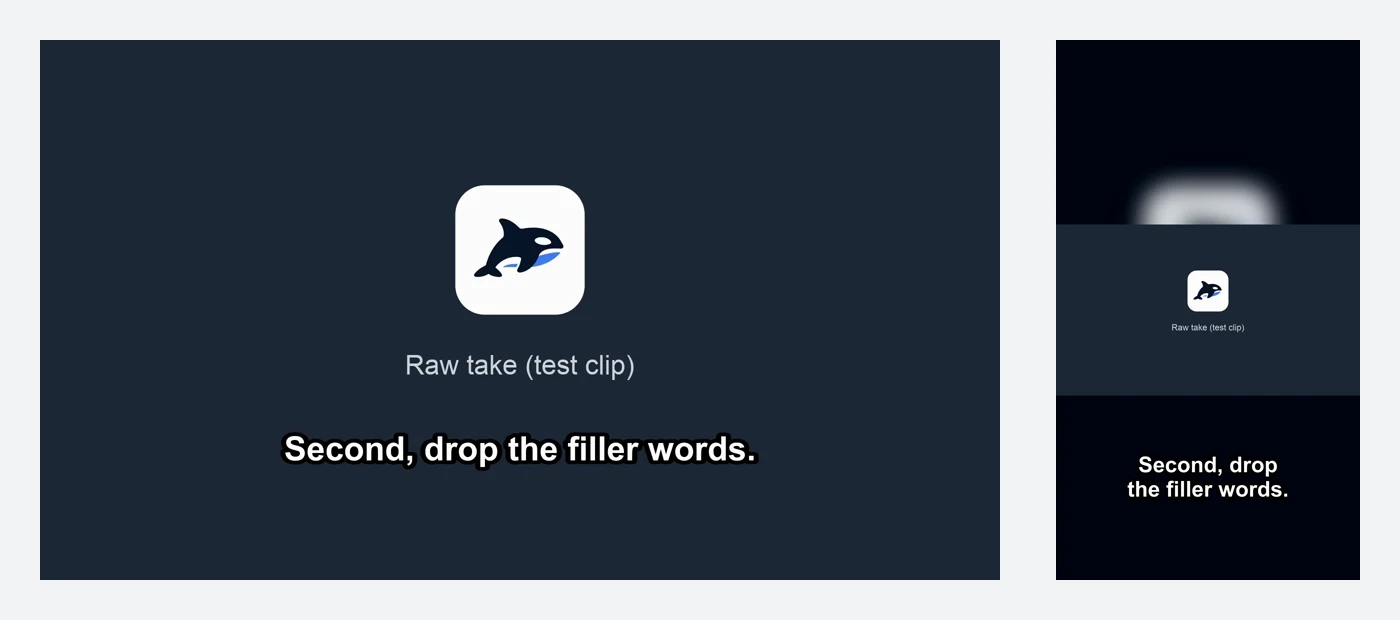
- It rendered the cut, transcribed the result again for the captions and burned them into both versions.
| Check | Result |
|---|---|
| Length | 29.8 s → 17.6 s |
| Filler words removed | 4 of 4 |
| Long pauses shortened | 8 |
| Caption lines with a wrong word | 2 of 11: "three ways to" became "ways too", and an "I'll" was added |
| First vertical render | Captions sat in the middle of the frame; one follow-up fixed it |
| Processing time | About 7 seconds per full run |
Two lessons carry over to real footage. Read every caption line before you publish, because a small model gets common words wrong. And expect to tune the pause threshold: a recording with room noise or music needs a different level than our clean test voice.
How to set it up
- Install Claude Code and sign in. It needs a Claude plan that includes Claude Code, or an Anthropic API key.
- Install ffmpeg and whisper.cpp, plus a whisper model file. On a Mac, Homebrew has both (
brew install ffmpeg whisper-cpp); on Windows, use the official builds or a package manager. You can also ask Claude Code to install them and approve each step. - Connect Claude Code in Orkas. In the sidebar, choose Connect agents and pick Claude Code. Orkas lists the coding agents it finds on your computer and runs your installed copy with your existing sign-in.
- Point it at your footage and describe the edit. Keep the original file, ask for the cut list before it renders, and read the captions.
A request you can adapt:
In ~/Videos/take-01.mp4:
- transcribe it and save the captions as an .srt
- remove pauses longer than 0.6 s, leaving 0.25 s
- cut "um" and "uh"
- burn the captions in
- export a 16:9 and a 9:16 version next to the original
Show me the cut list before you render.
Running Claude Code through Orkas instead of a bare terminal changes the surroundings, not the editing. The conversation and its files stay in one desktop window, the same chat can hand the next step to Codex or another agent, and you never type a command yourself. Orkas runs on macOS and Windows; our test ran on macOS. If you'd rather not install ffmpeg and whisper.cpp yourself, Orkas also includes VideoStudio, a video agent with both built in that shows you an edit plan before it renders.
Where CapCut fits
Use Claude Code for the passes that are the same every time, and CapCut for the parts that need an editor's eye:
- Claude Code: pauses, filler words, captions, trims, vertical and square versions, and the same job across many files.
- CapCut: music, effects, templates, transitions and the final look.
The handoff is two files: the rough cut (.mp4) and the captions (.srt). Import the video into a CapCut desktop project, then import the .srt from the Captions panel. If you want Claude to assemble the CapCut project itself, the community draft generators above are the way to try it, with the caveats listed there.
Questions
Can Claude edit videos?
Yes, through Claude Code, which runs tools such as ffmpeg and whisper.cpp on your computer: it can cut pauses and filler words, add captions and export new formats. The chat app isn't built for editing large video files.
Can Claude edit videos in CapCut?
We tested Claude Code with ffmpeg for cuts and captions. Files can go to CapCut; Claude Desktop computer use with CapCut is untested. As of October 13, 2026 we found no official CapCut connector for Claude, no official CapCut MCP server and no public API for editing a CapCut timeline.
Is there an official CapCut MCP server?
We didn't find one as of October 13, 2026. The CapCut MCP servers that exist are community projects, most of them built on VectCutAPI.
Does Claude watch the video?
Not the way a person does. It works from the transcript, the audio levels and frames it extracts, which is why choices about the story and the best take should stay with you.
Does this work on Windows?
Claude Code, ffmpeg, whisper.cpp and Orkas all run on Windows. We ran our test on a Mac, so treat the Windows steps as untested.
What does it cost?
ffmpeg and whisper.cpp are free and run on your computer. Claude Code uses your Claude plan or API credits. Orkas is free to download.
To run Claude Code next to Codex on the same project, see How to Run Claude Code and Codex Together. For an editor that does ship an official MCP server, see our guide to DaVinci Resolve MCP.