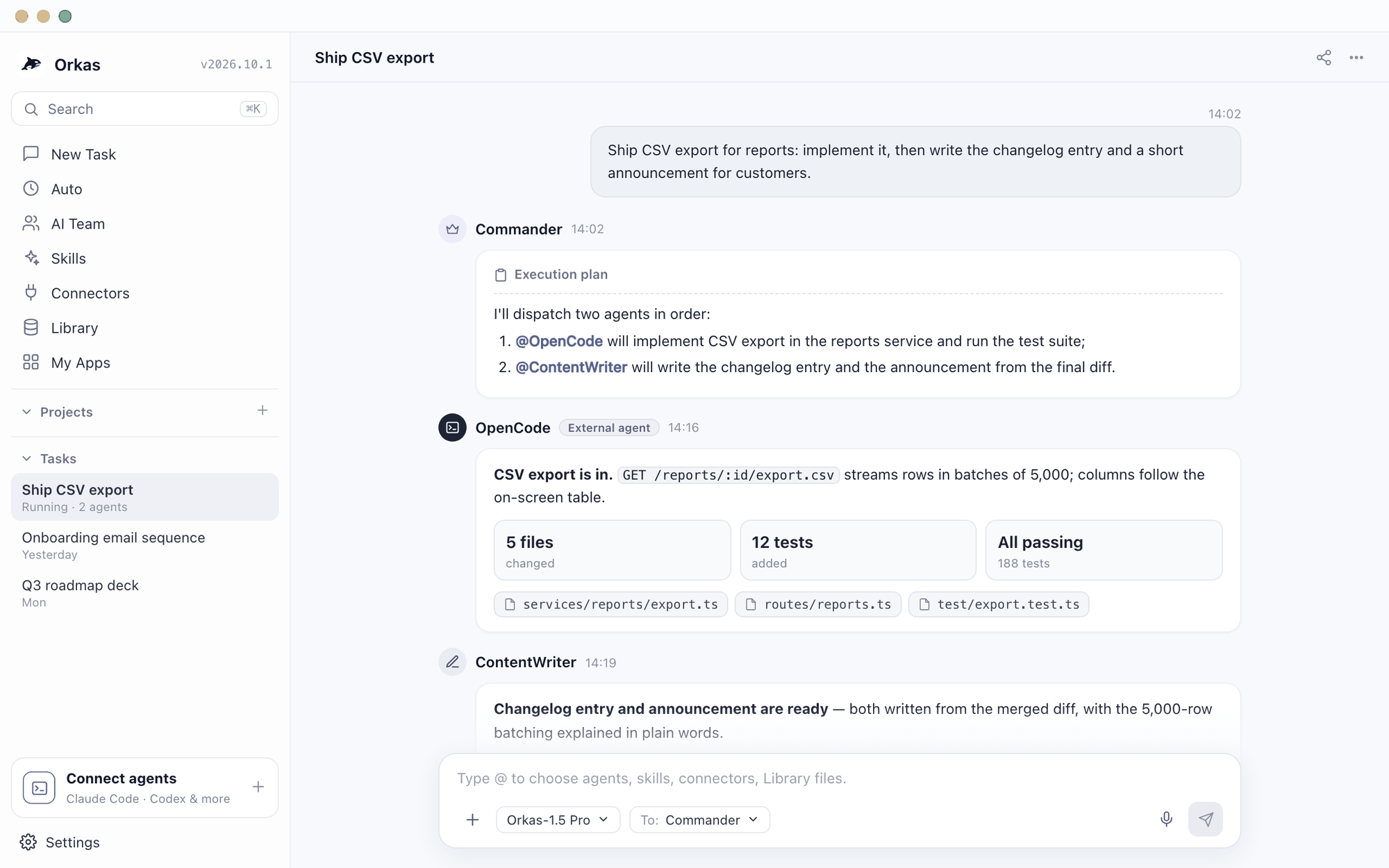
This one is not really either-or. Orkas ships a CLI backend for OpenCode alongside Claude Code, Codex, OpenClaw and Hermes, so it can drive OpenCode as one of its agents — and when it does, the model configuration is OpenCode's own. The real question is whether you also need the half of shipping that is not code: the release notes, the demo video, the launch page, the customer report.
Both MIT licensed. This is the one comparison on this site where the other product is also a supported part of this one.
| Capability | OrkasThis site | OpenCodeTerminal coding agent |
|---|---|---|
| Depth inside one repository | Coding is one job among several | Purpose-built: reads, edits, runs and tests the code |
| Separating planning from doing | You review the plan in the conversation | A read-only plan agent and a full-access build agent, one key apart |
| Breadth of model choice | Managed official models, or your own provider key | Dozens of providers, anything OpenAI-compatible, and local runtimes |
| Living in the terminal | A desktop app; there is no Orkas command line | A TUI first, with the desktop app newer |
| The half of shipping that is not code | Release notes, demo video, launch page, pricing table, customer report | Outside what a coding agent is for |
| Passing one job between specialists | Named agents with distinct roles hand it along | Build and plan, both aimed at the repository |
| A teammate who never opens a terminal | A desktop app you talk to | A terminal interface, before anything else |
| Running OpenCode itself as one of its agents | OpenCode is a supported CLI backend — Orkas drives it | It is the agent, not the one conducting |
The last row is the honest shape of this pair. Orkas ships a backend for OpenCode alongside Claude Code, Codex, OpenClaw and Hermes, and when it runs OpenCode the model configuration is OpenCode's own — including a local one, if that is how you have it set up. So the practical question is not which to install. It is whether you also need the work that happens after the code compiles.
This comparison was last updated on September 27, 2026; check each vendor's site for current terms.
You probably should not pick one — Use each tool for the job it is built for, and pass the resulting files into Orkas when you need a coordinated, reviewable deliverable.
OpenCode sits alongside Claude Code, Codex, OpenClaw and Hermes as a CLI agent Orkas can drive.
Keep OpenCode installed and configured exactly as you have it, local model included.
Add it in Orkas as a CLI agent. The coding step then runs on OpenCode's own model settings.
Let the other agents take the rest of the release — the notes, the video, the page, the report.
Yes. OpenCode is one of the CLI agent backends Orkas ships, alongside Claude Code, Codex, OpenClaw and Hermes. Orkas invokes the OpenCode binary you already have installed, and model selection stays with OpenCode's own configuration.
Not really, and it is not meant to be. Both are MIT licensed, but OpenCode is a coding agent built for depth inside a repository and Orkas is a team where coding is one job among several. Replacing OpenCode with Orkas would trade repository depth for breadth you may not need.
No. Orkas is a desktop application and there is no Orkas command line. It can invoke terminal agents as part of a task, but you drive Orkas itself through its window, not a shell.
The half of shipping that is not code: release notes, a demo video, the launch page, comparison and SEO pages, an editable deck, the report you send a customer. Those are separate specialist agents working on the same folders.
OpenCode is one MIT coding agent you drive in a terminal. Orca (stablyai/orca, also MIT) is an environment for running a fleet of coding agents in parallel, on desktop, mobile or a remote runtime, and it can drive OpenCode. Orkas is a local-first desktop app that runs OpenCode as one of five local CLI backends and adds non-coding agents around it. Despite the similar name, Orca and Orkas are separate projects.
Free, MIT licensed, and it works on the files already sitting on your machine.
