Orkas Orkas
Download GitHub
Your AI workforce. Scale your business.

あなたのAIチーム

チャットでAIチームを指揮し、事業をスケール。

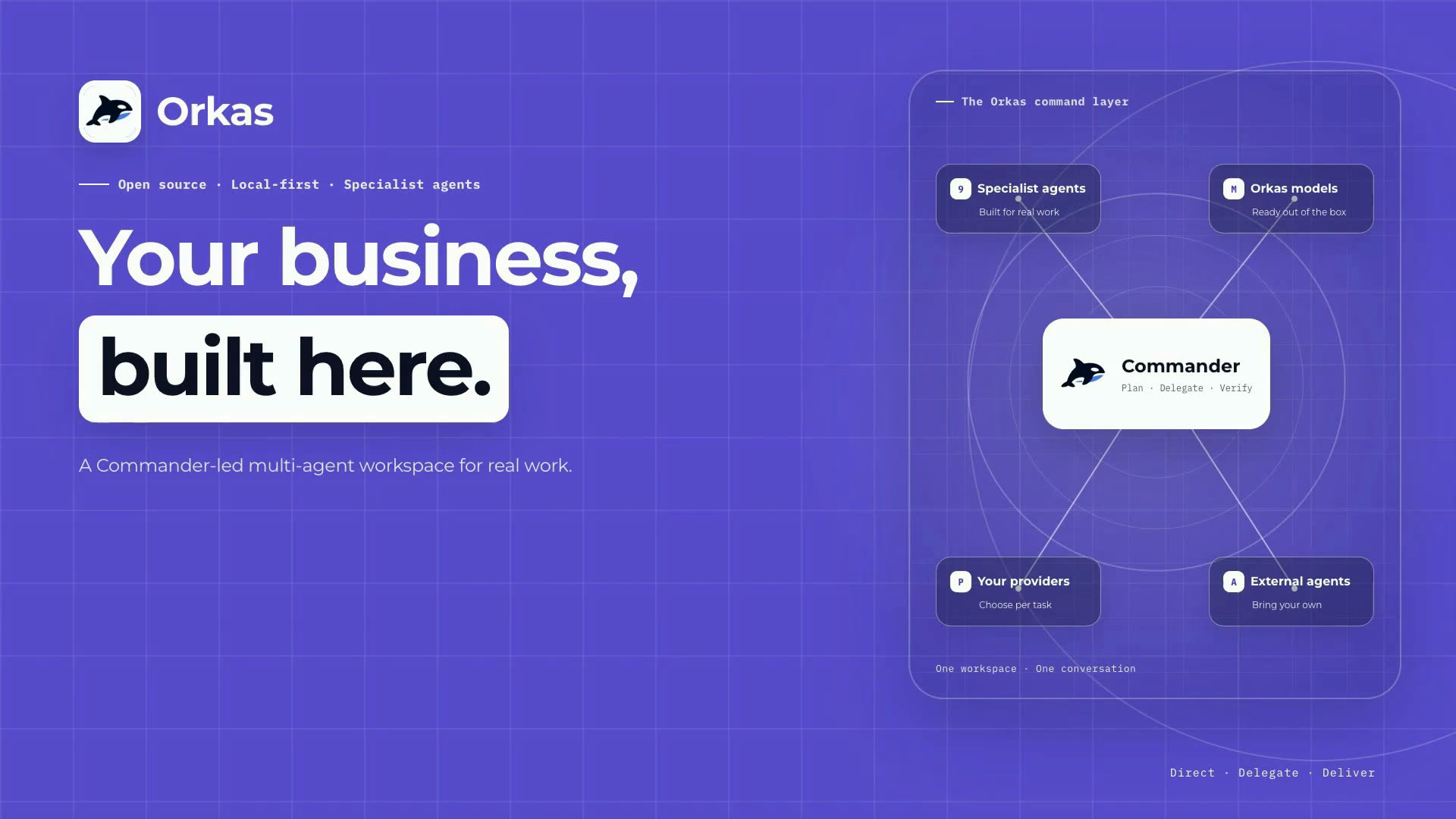
強力な Commander が専門エージェントのチームを率いて仕事を進めます。必要なときにいつでも動ける、あなたの AI ワークフォースです。

Download the app and start. Official models work out of the box, or connect your own.下载应用即可开始。官方模型开箱即用,也可接入你自己的模型。アプリをダウンロードしてすぐ開始。公式モデルをそのまま使うことも、自分のモデルを接続することもできます。Baixe o app e comece. Use os modelos oficiais imediatamente ou conecte os seus.

Professional & reliable Secure control Open extension
Professional team

Team members

Five carefully crafted agents, backed by 25+ more built-in agents and any external agent you connect.

More
Lead agent

Commander works hands-on and leads the team

It understands the goal, breaks work down, calls tools, and brings in specialist agents when needed so everything comes back as one delivery.

  • Handles direct tasks such as Q&A, coding, search, and simple apps.
  • Delegates only when a specialist can produce a better result.
  • Keeps the global context and merges results back into one thread.
Working and delegating1 direct · 4 dispatched
CommanderDraft the launch copy and landing pagerunning
VideoStudioProduce the 60s launch cutrunning
UIDesignerPolish the onboarding and dashboard UIrunning
SeoGeoAgentOptimize the page for AI searchdone
DeepResearcherCompetitor and market briefdone
VideoStudio

Turn a video brief into a clear production plan

It organizes source material, goal, duration, script structure, and timeline before helping you generate, edit, or caption the final video.

  • Routes the task to generate, edit, compose, or a mixed workflow.
  • Shows a reviewable segment plan before production continues.
  • Lets you confirm key choices before generating or editing assets.
Video plan4 segments · waiting for confirmation
COMPOSE
Motion design
Animated screens and cards
AUTO
Mixed video task
Footage, subtitles, and generated clips
GENERATE
AI footage
B-roll or visual assets
EDIT
Cut and caption
Use your own footage
plan.jsonreview before production
00-08Title and hookcompose
08-34Product walkthroughfootage
34-50Generated b-rollgenerate
50-60CTA cardcompose
UIDesigner

Make interfaces feel designed, not generated

It takes requirements, product context, or a rough screen and turns them into polished UI: layout, visual hierarchy, component states, responsive behavior, and handoff notes.

  • Creates clean layouts with clear hierarchy, spacing, and rhythm.
  • Defines components, hover, loading, empty, and error states.
  • Prepares responsive specs coding agents can implement faithfully.
UI design pass3 screens · reviewed
LAYOUT COMPONENTS STATES MOBILE
STYLEHierarchy, spacing, color, and typography tuned
STATESHover, loading, empty, and error states covered
HANDOFFResponsive specs and component notes ready
SeoGeoAgent

Improve search visibility and AI answer citations

It diagnoses classic SEO and generative answer visibility, then separates measured facts from estimates so you know what to fix first.

  • Chooses the right depth for diagnosis, quick checks, monitoring, fixes, or content updates.
  • Checks whether pages are structured for search engines and AI answer engines.
  • Labels uncertain conclusions instead of inventing rankings or traffic numbers.
Diagnosis reportexample.com
DIAGNOSEQUICKMONITORAPPLYCONTENT
78GEO readiness
On-page citation readiness
MEASUREDFAQ schema missing on 6 key pages
MEASUREDAnswer-first intro missing
ESTIMATEDRank lift needs Search Console data
DeepResearcher

Research you can actually cite

It decomposes questions, gathers web and academic sources, verifies citations, and marks evidence gaps instead of making claims without support.

  • Plans sub-questions before collecting material.
  • Searches web and academic sources together.
  • Checks citations, DOI matches, and missing evidence.
Research report6 sources · cited
Q1 · MarketQ2 · PlayersQ3 · Risks
VERIFIEDQuote matches the sourcehigh
VERIFIEDDOI resolves and matcheshigh
ABSTAINEDNo reliable sourceflagged

25+ more built-in agents

Categories for ecommerce, product and research, creation, office work, growth, learning, data, and other frequent workflows.

Ecommerce Product & Research Creation Office Growth Learning Data +More
Open marketplace →

Plug in external agents

Connect Claude Code, Codex, OpenClaw, OpenCode, Hermes Agent, and more as external coding agents that work alongside the built-in team.

CCClaude Code CXCodex CLOpenClaw OCOpenCode HAHermes Agent +More
Use cases

What you can do with Orkas

Deep research

Give Orkas a question or topic. It gathers material, filters credible sources, and turns them into a cited summary.

"Research the latest progress in on-device LLMs, grouped by opportunities, risks, and leading products."
  • Source gathering
  • Source checks
  • Research summary

Chat with documents

Put PDFs or files in a local library, ask directly, and get answers with citations from the documents.

"Summarize the key conclusions from these 40 PDFs and cite the page for each one."
  • PDF Q&A
  • Local library
  • Citations

Make videos

Tell Orkas your source material, goal, and length. It prepares the production plan before helping generate, edit, or caption the video.

"Turn this 3-minute screen recording into a 60-second vertical short, keep the key moments, and add captions."
  • Short videos
  • Captions
  • Editing

Do SEO & GEO

Enter a website URL. Orkas checks search visibility and AI answer visibility, then prioritizes what to fix.

"Review my SaaS site for search and AI citations. Which pages should I fix first?"
  • Site audit
  • Fix list
  • Content updates

Write code

After linking a project, Orkas can understand context, find issues, edit code, run tests, and summarize the changes.

"Fix this login error, run the related tests, and explain what changed."
  • Bug fixes
  • Code Q&A
  • Test checks

Build apps

Describe the tool you need. Orkas builds a runnable page and logic that you can try immediately and keep refining.

"Build a pricing calculator where I can enter plans, see a chart, and export the result."
  • Business tools
  • Dashboards
  • Prototypes

Analyze data

Give Orkas a spreadsheet or dataset. It cleans the inputs, investigates patterns, creates charts, and explains the result.

"Analyze this sales export, flag unusual changes, and chart the three metrics that matter most."
  • Data cleanup
  • Analysis
  • Charts

Automate workspace tasks

Connect the tools you already use, then coordinate repeatable work across messages, documents, repositories, and calendars.

"Summarize new issues, update the project notes, and draft the team’s weekly status."
  • Connectors
  • Handoffs
  • Reusable flows
Core strengths

Orkas highlights

用户常见痛点
01 答案能看,交付不敢用

问一句能回,真要交付就开始漏需求、漏步骤、漏验收,最后还是你来补和重做。

02 任务一长,进度就散

调研、写方案、改代码、做视频分散在不同对话和工具里,谁做完了、下一步是什么全靠你记。

03 业务资料不敢放进去

文件、聊天、知识库和生成结果存在哪里、谁能看、是否同步都说不清,真实资料只能继续留在外面。

04 每次都要重新解释背景

偏好、项目规则、历史决定留不住,换个任务或隔天再开,还是要重新把上下文喂一遍。

05 模型被套餐锁住

只能用平台给的模型和会员额度,已有 API Key、公司供应商和成本控制都接不上。

06 工具接了,结果留不下来

CLI、MCP、Agent 各自能跑,但结果散在各处,下一次同类任务还是从零开始。

Orkas 的回答

所以 Orkas 把核心能力放在三件事上:可靠地组织交付、可控地处理数据和权限、开放地接入你的工具生态。

01

专业可靠

每次交付都从明确分工开始:先拆解目标,再协同推进,最后把经验沉淀下来。

指挥官智能调度

指挥官负责把目标变成队伍能执行的路线图。

  • 读懂目标
  • 拆成路线图
  • 分派与验收
了解智能编排 →

AI 团队分工协作

不同专家智能体各管一段,最后回到同一条任务线。

  • 深度研究
  • 搜索 / AI 增长
  • 视频制作
查看更多智能体 →

能力与工作流沉淀

常用智能体、技能和项目产物会留下来,变成下一次任务可直接复用的资产。

  • 自定义智能体
  • 可复用技能
  • 本地项目资产
查看技能生态 →

自动记忆与演进

保存偏好与事实,复盘每次运行,让智能体逐步调整计划和表达方式。

  • 偏好与事实
  • 运行复盘
  • 自我进化
了解自我演进 →
02

Secure control

You control where data lives and choose a local-access mode; approval modes prompt for sensitive operations, while auto mode does not.

Local storage

Chats, files, project history, and knowledge material stay on your device by default.

  • 对话与文件
  • 项目历史
  • 本地资料库
了解本地优先 →

Sensitive data encryption

API keys and sensitive settings are protected locally instead of being exposed as plain text.

  • Key 加密保存
  • 本机凭据管理
  • 降低明文暴露
了解私有 AI 助手 →

Access permissions

You decide what an agent can read, call, or change, so different work can have different boundaries.

  • 可读资料范围
  • 可调用工具
  • 可修改边界
查看安全机制 →

Critical action confirmation

Before risky operations, Orkas can pause and ask you to confirm the action and cost.

  • 高风险动作
  • 成本消耗提示
  • 人工确认
了解确认机制 →
03

Open extension

Orkas works with your models, external agents, and existing systems instead of locking you into one platform.

Open source code

You can inspect how it works, self-host what you need, and avoid being locked into a black box.

  • 代码可审计
  • 可自托管
  • 不做黑盒
了解开源版本 →

Multiple model choices

支持主流模型和 Orkas 官方模型,统一配置后适配不同团队、成本和能力需求。

  • Orkas 官方模型
  • 自带主流模型 Key
  • 供应商可切换
查看模型接入 →

External agent access

External coding agents and command-line tools can be called from the same conversation when needed.

  • 编码 Agent
  • 本地 CLI 工具
  • 同一对话调用
了解外部 Agent 编排 →

MCP and open ecosystem

Connect data sources, tools, and community-built capabilities through MCP and compatible integrations.

  • 数据源接入
  • 工具连接器
  • 社区能力
查看生态市场 →
Full comparison

Orkas vs others

Orkas is stronger when work needs a team, local context, reusable workflows, and control over model keys.

ToolMain useSetup costWorkspace scopeCoordination / reuseData / key controlBest fit
OrkasAI team desktopCommand an AI team across code, docs, research, data, and operations.Desktop app, ready to useFull workflow workspaceCommander + reusable sub-agentsOfficial models + BYO keysYou want complex work to become a reusable team workflow.
CodexCoding agentWork on coding tasks inside a repository.Client / CLIRepositorySingle coding agent sessionClient/account basedYou mainly need focused repository coding.
Claude CodeCoding agentWork on deep coding tasks inside a repository.Client / CLIRepositorySingle coding agent sessionClient/account basedYou mainly need focused repository coding.
ClineEditor coding agentAutonomous coding inside VS Code.VS Code pluginEditor workspaceSingle editor conversationConfigured in pluginYou want hands-on coding where you edit.
LangChainAgent frameworkBuild custom agent systems in code.Engineering requiredWhatever you buildYou design orchestrationYou implement controlYou are building agent infrastructure.
OpenClawSelf-hosted assistant gatewayRun a personal assistant across channels, agents, and skills.Self-hosted setupGateway + channels + workspacesAgent routing + sub-agent runsSelf-operatedYou want a channel-first, self-hosted personal assistant.
Hermes AgentAlways-on server agentRun background and scheduled automations.Server setupServer workflowsCron / scriptsSelf-operatedYou need unattended background automation.
FAQ

Frequently asked questions

What is Orkas?Orkas 是什么?Orkas とは何ですか?O que é Orkas?

Orkas is an open-source, local-first AI workforce. A super-powered Commander coordinates specialist agents to complete complex work together.Orkas 是开源、本地优先的 AI 生产力团队。超强指挥官协调专家 Agent,共同完成复杂工作。Orkas はオープンソースでローカルファーストな AI ワークフォースです。強力な Commander が専門エージェントを調整し、複雑な仕事を協力して完了させます。Orkas é uma força de trabalho de IA open source e local-first. Um Commander superpoderoso coordena agentes especialistas para concluir trabalhos complexos juntos.

What can I build with Orkas?用 Orkas 能做什么?Orkas で何ができますか?O que posso fazer com Orkas?

Use Orkas as a coordinated AI team for complex work: research markets, turn findings into reports or slides, read PDFs with citations, fix bugs and open PRs, analyze data, create apps or videos, organize inbox and calendar work, connect external tools, and more, then turn repeated work into reusable agents and skills.你可以把 Orkas 当成一支可调度的 AI 团队:做市场和竞品调研,生成报告或演示稿,阅读 PDF 并带引用回答,复现 bug 并提交修复 PR,分析表格和数据,生成交互式应用或视频,整理收件箱和日历,连接外部工具等;还可以把重复工作沉淀成可复用的 Agent 和技能。Orkas は複雑な仕事を進める AI チームとして使えます。市場や競合の調査、レポートやスライド作成、PDF の引用付き回答、バグ再現と修正 PR、データ分析、アプリや動画作成、受信箱やカレンダー整理、外部ツール連携などに加え、反復作業を再利用可能な Agent やスキルとして残せます。Use o Orkas como uma equipe de IA coordenada para trabalhos complexos: pesquisar mercados, transformar descobertas em relatórios ou slides, ler PDFs com citações, corrigir bugs e abrir PRs, analisar dados, criar apps ou vídeos, organizar inbox e calendário, conectar ferramentas externas e muito mais, além de transformar trabalho repetido em agentes e skills reutilizáveis.

How is Orkas different from ChatGPT, Codex, Claude Code, or Cline?Orkas 和 ChatGPT、Codex、Claude Code、Cline 有什么不同?Orkas は ChatGPT、Codex、Claude Code、Cline と何が違いますか?Como Orkas difere de ChatGPT, Codex, Claude Code ou Cline?

ChatGPT is a hosted assistant, while Codex, Claude Code, and Cline focus on coding sessions. Orkas is an open-source, local-first AI workforce where a Commander coordinates specialist agents to complete complex work together.ChatGPT 更像托管助手,Codex、Claude Code 和 Cline 主要聚焦编码会话。Orkas 是开源、本地优先的 AI 生产力团队,由指挥官协调专家 Agent 共同完成复杂工作。ChatGPT はホスト型アシスタントで、Codex、Claude Code、Cline は主にコーディングセッションに焦点があります。Orkas はオープンソースでローカルファーストな AI ワークフォースで、Commander が専門エージェントを調整し、複雑な仕事を協力して完了させます。ChatGPT é um assistente hospedado, enquanto Codex, Claude Code e Cline focam sessões de código. Orkas é uma força de trabalho de IA open source e local-first, onde um Commander coordena agentes especialistas para concluir trabalhos complexos juntos.

Do I need to bring my own model key?必须自带模型 Key 吗?自分のモデルキーが必要ですか?Preciso trazer minha própria chave de modelo?

No. Orkas can provide managed official models that run through Orkas-managed model service. You can also connect your own providers through OAuth or API keys, including OpenAI, Claude, Gemini, DeepSeek, Kimi, and GLM; bring-your-own-provider calls go directly to that provider.不必须。Orkas 可以提供通过 Orkas 托管模型服务运行的官方模型。你也可以通过 OAuth 或 API Key 连接自己的供应商,包括 OpenAI、Claude、Gemini、DeepSeek、Kimi 和 GLM;自带供应商的请求会直达该供应商。必須ではありません。Orkas 管理の公式モデルを使うこともできます。OpenAI、Claude、Gemini、DeepSeek、Kimi、GLM など自分のプロバイダーを OAuth または API キーで接続することもでき、その場合の呼び出しは直接そのプロバイダーへ送られます。Não. Orkas pode fornecer modelos oficiais gerenciados que passam pelo serviço de modelos gerenciado pelo Orkas. Você também pode conectar seus provedores por OAuth ou API key, incluindo OpenAI, Claude, Gemini, DeepSeek, Kimi e GLM; chamadas para provedores próprios vão direto a esse provedor.

Will my files, history, or API keys be uploaded to Orkas?我的文件、历史或 API Key 会上传到 Orkas 吗?ファイル、履歴、API キーは Orkas にアップロードされますか?Meus arquivos, histórico ou API keys serão enviados ao Orkas?

By default, your configs, history, knowledge bases, and generated files stay on your machine. If you bring your own keys, they are stored locally and requests go directly to your provider. Orkas-managed models and optional cloud features use Orkas services only for those selected features.默认情况下,配置、历史、知识库和生成文件都留在你的机器上。如果你自带 Key,Key 会本地保存,请求直达供应商。只有你选择官方托管模型或可选云功能时,对应功能才使用 Orkas 服务。標準では、設定、履歴、ナレッジベース、生成ファイルは自分のマシンに残ります。持ち込みキーはローカルに保存され、リクエストは直接プロバイダーへ送られます。Orkas 管理モデルや任意のクラウド機能は、選択した機能に限って Orkas のサービスを使います。Por padrão, configurações, histórico, bases de conhecimento e arquivos gerados ficam na sua máquina. Se você trouxer suas chaves, elas ficam locais e as chamadas vão direto ao provedor. Modelos gerenciados pelo Orkas e recursos opcionais de nuvem usam serviços Orkas apenas para esses recursos escolhidos.

Is Orkas free, and what would I pay for?Orkas 免费吗?我需要为什么付费?Orkas は無料ですか?何に支払いますか?Orkas é gratuito? Pelo que eu pagaria?

The open-source desktop edition is free to download and self-host. Bring-your-own-provider usage is billed by your own provider. Paid Orkas plans add hosted services such as managed models, sync, and cloud storage. Remote control and team collaboration are planned.开源桌面版可以免费下载和自托管。自带供应商的模型调用由你的供应商计费。Orkas 付费计划主要增加官方托管模型、同步和云存储等托管服务。远程控制和团队协作仍在规划中。オープンソースのデスクトップ版は無料でダウンロード、セルフホストできます。持ち込みプロバイダーの利用料は自分のプロバイダーに支払います。有料 Orkas プランでは、管理モデル、同期、クラウドストレージなどのホスト型サービスが追加されます。リモート操作とチーム共同作業は現在計画中です。A edição desktop open source é gratuita para baixar e auto-hospedar. Uso de provedores próprios é cobrado pelo seu provedor. Planos pagos do Orkas adicionam serviços hospedados como modelos gerenciados, sync e armazenamento em nuvem. Controle remoto e colaboração em equipe estão planejados.

Your AI team is ready

Install the desktop app, choose a managed official model or connect your own provider, and put an AI team to work in minutes.

Professional & reliable Secure control Open extension