
HyperFrames and Remotion both turn code into video. You write a video as code, a headless browser draws it frame by frame, and you get an MP4. Both also work with Claude Code, which is why so many of the AI-made motion graphics on X come from one of the two. They differ in how you write that code, what the license costs, and how much they install. We built the same 8-second video in both, on one Mac, and measured each step.
The short answer: choose HyperFrames if an AI agent writes most of your video code, you know HTML, CSS or GSAP, or you work at a company of four or more people and don't want to pay for Remotion seats. Choose Remotion if your team writes React, you render videos inside your own product, or you want its long-tested AWS Lambda renderer. In our test both made the same video. Remotion rendered faster, and HyperFrames installed faster and took far less disk space per project. If you'd rather not write or run code at all, VideoStudio in Orkas takes the same HTML route from a plain-language request.
HyperFrames vs Remotion at a glance
| HyperFrames | Remotion | |
|---|---|---|
| Made by | HeyGen; first released in March 2026 | The Remotion team; version 1.0 in February 2021 |
| You write the video as | An HTML page with CSS and a GSAP timeline | React components in TypeScript |
| License | Apache 2.0, free for any use | Remotion License: free for individuals and companies of up to 3 people, paid above that |
| Needs | Node.js 22 or newer, and FFmpeg installed separately | Node.js 16 or newer (or Bun), and macOS 15 or later on a Mac; FFmpeg is bundled |
| Preview | A browser preview, and a free desktop Studio app | Remotion Studio in the browser, and a Player you can embed in a React app |
| Cloud rendering | HeyGen's cloud, AWS Lambda, Google Cloud Run or Docker | AWS Lambda; Cloud Run is in alpha and not actively developed |
| Latest version (November 14, 2026) | 0.9.43 | 4.0.543 |
| GitHub stars (November 14, 2026) | About 84,000 | About 73,000 |
Our test: the same 8-second video in both
The brief was a 1920×1080 title card at 30 frames per second: an orange dot grows into the word "Orkas", three short lines slide in one at a time, and everything fades out except the web address. An AI coding agent (Claude Opus 5.5 in Claude Code) wrote both versions to the same timings, and we rendered each one twice. Everything ran locally on one Apple M4 Max with 36 GB of RAM, with no cloud service and no account. That makes this one data point, not a benchmark.
| HyperFrames 0.9.43 | Remotion 4.0.543 | |
|---|---|---|
| Set up a new project | 19.7 seconds; no install step | 1 minute 34 seconds; 338 packages |
| Disk space | 119 MB, plus a 193 MB browser shared by every project | 771 MB per project, including its own 459 MB browser |
| Code written | 91 lines of HTML, CSS and GSAP in one file | 138 lines of React in one file |
| First render | 14.3 seconds | 4.4 seconds |
| Second render | 7.3 seconds | 2.8 seconds |
| Output | 8.0 seconds, 240 frames, 335 KB | 8.0 seconds, 240 frames, 196 KB |
| Same file on a second render? | Yes, byte for byte | Yes, byte for byte |
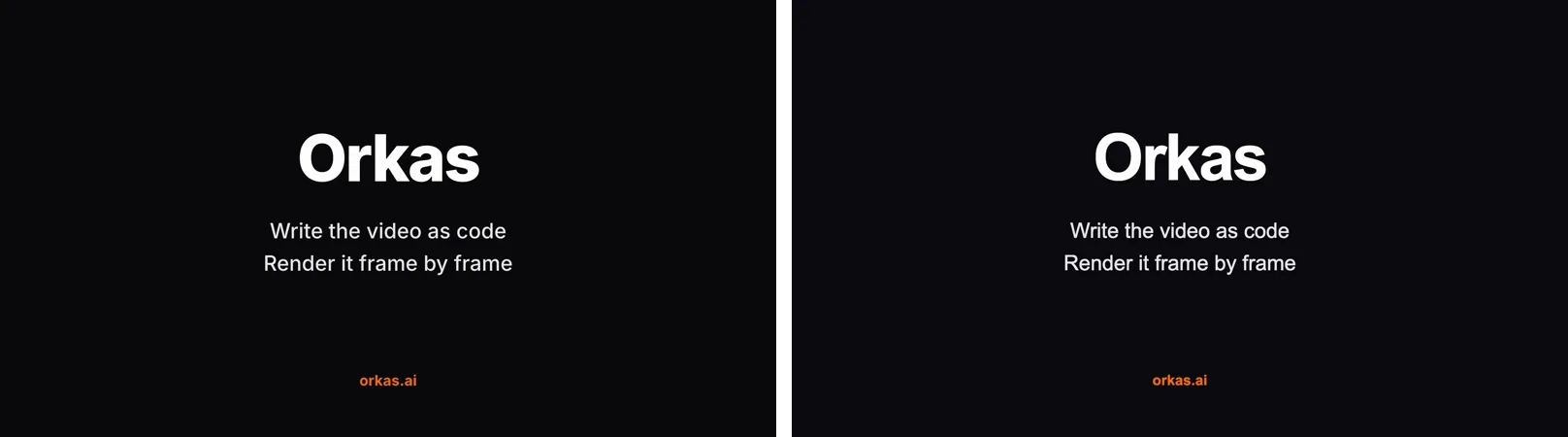
What stood out:
- Remotion renders faster. It was 2.6 to 3.3 times faster on this short clip. Part of HyperFrames' time goes to starting its command line tool through npx on every run.
- HyperFrames is lighter. A new project is ready in seconds, and one browser download serves every project. Remotion runs a full npm install and keeps a separate browser in each project.
- The file sizes differ because of the defaults. HyperFrames encodes at higher quality (CRF 16) than Remotion (CRF 18). We didn't tune either.
- HyperFrames' starter loads GSAP from a public CDN, so a render needs an internet connection unless you copy GSAP into the project. Remotion bundles everything it needs.
- Notices. HyperFrames turns on anonymous usage data by default and installs its skills into your AI coding tools unless you pass
--skip-skills. Remotion prints its license terms when you create a project, and npm reported 9 moderate vulnerabilities in its dependencies.
How each one works
HyperFrames treats a video as a web page. Each scene is HTML and CSS, and a paused GSAP timeline sets the timing. The renderer opens the page in headless Chrome, moves the timeline to each frame, captures it and encodes the frames with FFmpeg. HeyGen's own comparison guide notes the trade-off: you need no React and no build step, but you have to follow its rules (a paused timeline, no wall clock, no unseeded randomness), and the page "breaks quietly" if you don't.
Remotion treats a video as a React component. You read the current frame number with useCurrentFrame() and compute every position and opacity from it, usually with interpolate(). That model is simpler to reason about, and it fits teams that already build with React. The same component can play live in a web app through the Remotion Player.
Using them with Claude Code
Both install in a couple of commands:
claude plugin marketplace add heygen-com/hyperframes
claude plugin install hyperframes@hyperframes
claude plugin marketplace add remotion-dev/claude-code-plugin
claude plugin install remotion@remotionYou can also add either as agent skills with npx skills add heygen-com/hyperframes or npx skills add remotion-dev/skills. Claude Code needs a paid Claude plan or an API key.
Two other tests are worth knowing. In HeyGen's guide, Claude Code made the same video in each: 12 minutes 30 seconds for Remotion, with 10 TypeScript files and about 950 MB of dependencies in the project, against 11 minutes 50 seconds for HyperFrames, with 4 HTML files and nothing installed in the project. HeyGen adds that "a single run decides nothing about quality". A June 2026 hands-on test on Woshipm went the other way on cost: a finished 1 minute 24 second Remotion video cost $43 in agent usage, while the HyperFrames version stopped half-finished at $28. Several users on Reddit also describe HyperFrames as token-hungry. Agent cost depends on the model and the brief far more than on the framework, so treat both as anecdotes.
License and cost
HyperFrames is open source under Apache 2.0. Rendering on your own computer is free and needs no account. You pay only for optional HeyGen services, such as cloud rendering, which bills HeyGen credits, or the Studio app's Pro plan at $25 a month.
Remotion is free for an individual, a company with up to 3 employees, a non-profit, or while you evaluate it. Any other company needs a company license:
- Creators: $25 a month for each person who makes videos with Remotion. Company size decides whether you need a license; the number of users decides how many seats. A 20-person company where one person uses Remotion pays for one seat.
- Automators: $0.01 per render, with a $100 minimum a month, if your own code renders videos or embeds the Player, for example in a video tool or an automated pipeline.
- Enterprise: from $500 a month.
In practice: a solo creator pays nothing for either. A five-person agency where two people make videos pays $50 a month for Remotion and nothing for HyperFrames. A product that renders thousands of videos a month pays at least $100 a month for Remotion, on top of compute. A proposed change for Remotion 5.0 would also count contractors toward company size.
Rendering at scale
Remotion Lambda is the most mature option either framework offers. You pay AWS only while rendering, and HeyGen's guide calls it "a mature, heavily documented rendering system". Each Lambda render must finish within AWS's 15-minute limit. HyperFrames can render on HeyGen's cloud, on AWS Lambda, on Google Cloud Run or in Docker. Its cloud is newer, and 4K costs 1.5 times as many credits.
Without code: a third option
Both frameworks expect someone, or some agent, to write and run code. HyperFrames also has a desktop Studio app and a hosted HyperFrames connector in Claude's connector directory, which can render a video from a chat.
Orkas takes another route. Its video agent, VideoStudio, writes motion graphics as HTML, CSS, SVG and GSAP, the same approach as HyperFrames, and renders the MP4 on your computer. You describe the video in plain language, and it checks sample frames before rendering. It runs on Orkas's built-in model, so you don't need a Claude plan or an API key, and new accounts get 500 free credits. It can also edit your footage and generate filmed-looking shots with Seedance 2.0. It doesn't do WebGL or Three.js 3D. If you already have a HyperFrames or Remotion project, Orkas can run Claude Code as one of its agents in the same workspace.
Which should you pick?
| If you… | Pick |
|---|---|
| Let an AI agent write most of the video | HyperFrames, or Remotion with its agent skills |
| Already build with React | Remotion |
| Work at a company of 4 or more people and don't want to pay for seats | HyperFrames |
| Render videos inside your own product | Remotion with the Automators plan, or HyperFrames |
| Need proven serverless rendering | Remotion Lambda |
| Want the fastest local renders | Remotion, based on our test |
| Don't want to write or run code | VideoStudio in Orkas, or the HyperFrames Studio app |
Questions
Is HyperFrames better than Remotion?
Neither is better for everyone. HyperFrames is easier to start with, free for any company, and written in plain HTML. Remotion is older, renders faster in our test, and fits React teams and products that render video. In our test both produced the same video.
Is HyperFrames free?
Yes. The framework, its command line tool and its skills are open source under Apache 2.0, and rendering on your own computer needs no account. Cloud rendering and the Studio app's Pro plan are paid.
Is Remotion free?
For individuals, companies with up to 3 employees, non-profits and evaluation, yes. Other companies pay $25 a month for each person who makes videos, or $0.01 per render with a $100 monthly minimum if their software renders videos automatically.
Can I convert a Remotion project to HyperFrames?
Partly. HeyGen publishes a remotion-to-hyperframes skill that translates a project and compares both versions frame by frame. It refuses parts that don't fit, such as React state, async data and third-party React UI libraries.
Which one should I use with Claude Code?
Both have official Claude Code plugins. HyperFrames needs fewer files and no React. Remotion suits you if you want to read and maintain the code as a React project.
The choice comes down to who writes the code and who pays for it. For a team that wants the videos rather than the code, the third option is to skip both frameworks and describe the video instead.
Related guides: Fable 5.2 Motion Graphics: How the Videos Are Made and How to Make One, Fable 5.2 Video Generation: Can It Make Videos? and Remotion vs Orkas.