
Best AI Assistants and Tools by Use Case
Overall, no single AI assistant is best in every area. The right choice depends on your primary tasks. I have grouped the evaluation results as follows:
| Need | Recommended products | Why choose them |
|---|---|---|
| Best AI tools for coding | Claude, CrewAI, LangChain, MindStudio | Use Claude for everyday coding and code collaboration, CrewAI or LangChain to build multi-agent applications, and MindStudio for low-code AI app development. |
| Best AI assistants for writing | Claude, ChatGPT Work, Gemini, Perplexity AI | Claude works well for long-form writing and complex editing; ChatGPT Work organizes source material and produces documents; Gemini fits Google Docs workflows; Perplexity AI supports writing with sources. |
| Best AI assistants for research | Perplexity AI, Claude, ChatGPT Work, Gemini, Orkas | Use Perplexity AI for search and source checks, Claude for long-document analysis, ChatGPT Work or Gemini to organize information across files, and Orkas for collaborative research with multiple agents. |
| Best AI assistants for productivity | ChatGPT Work, Microsoft 365 Copilot, Gemini, Lindy, MetaMuse, Orkas | ChatGPT Work handles tasks across files; Microsoft 365 Copilot supports enterprise office work; Gemini fits Google Workspace; Lindy and MetaMuse help with email, calendars, and personal tasks; Orkas coordinates multiple agents to carry a project from research through delivery. |
| Best AI tools for small businesses | Cofounder, Gumloop, Zapier, CloudTalk, Hostinger, Ajelix | Consider Cofounder for startup operations, Gumloop or Zapier for business automation, CloudTalk for sales and support, Hostinger for website building, and Ajelix for spreadsheets and business data. |
| Best free AI assistants | ChatGPT, Claude, Gemini, Perplexity AI, Orkas | Compare free usage allowances, model capabilities, web search, file uploads, and feature restrictions. Check the latest details on each product’s official website. |
| Best AI tools for workflow automation | Gumloop, Make, n8n, Zapier, Lindy, Relevance AI, StackAI, Orkas | Gumloop offers visual AI automation; Make handles complex branching; n8n supports self-hosting; Zapier connects SaaS apps quickly; Lindy automates follow-ups across email, calendars, and CRM. Relevance AI, StackAI, and Orkas are better suited to enterprise-grade agent workflows. |
What Is an AI Assistant?
An AI assistant is software that uses artificial intelligence to understand natural language, process information, and help people complete tasks. Beyond answering questions and generating text, these tools can summarize documents, analyze data, write code, retrieve information, create plans, call external tools, and—in some products—carry out multi-step actions across several applications.
Unlike traditional search engines or rule-based automation, AI assistants focus on interpreting user intent and adapting as a task evolves. Their strengths vary. Some specialize in general Q&A and content creation; others focus on office collaboration, research, spreadsheets, or software development; and some connect to business systems to automate operational workflows. Choose based on your primary use case, existing software ecosystem, privacy requirements, setup effort, and budget.
How We Evaluated the Products
Based on at least one week of hands-on task testing, supplemented by publicly available product information, I evaluated setup difficulty, core-task quality, pricing and usage limits, integrations, update cadence, and reliability in real work. Testing depth varied by product, so this is a practical comparison and buying guide—not a controlled laboratory benchmark.
Information updated: November 2026. Prices, plans, usage limits, and features may change; verify the official product page before purchasing.
- What is the experience like after sustained use?
- How easy is it to get started, and how much initial setup is required?
- Is there a free plan, and are paid prices and usage limits reasonable?
- How well does it integrate with common tools and existing workflows?
- Is the product actively updated, and do its features and overall experience remain competitive?
- How stable and reliable is its output in real work?
Summary of the 22 AI Assistants
- Claude: Best for long documents, complex writing, research analysis, and coding collaboration.
- ChatGPT Work: Best for completing multi-step work across files and apps and delivering documents, spreadsheets, or presentations.
- Gemini: Best for people deeply invested in Gmail, Drive, Docs, Chrome, and the broader Google ecosystem.
- Orkas: Best for coordinating multiple AI agents across research, content, code, office files, and business workflows.
- Microsoft 365 Copilot: Best for improving business productivity in Word, Excel, Outlook, Teams, and other Microsoft 365 apps.
- Ajelix: Best for working with Excel, Google Sheets, formulas, scripts, and data analysis through natural language.
- CloudTalk: Best for sales and support teams managing international calls, outbound dialing, call records, and CRM follow-up.
- Cofounder: Best for solo founders and small teams coordinating product development, launches, marketing, and company operations.
- CrewAI: Best for Python development teams that want to build role-based multi-agent applications quickly.
- Gumloop: Best for nontechnical teams and teams with some technical experience building AI automation through a visual interface.
- Hostinger: Best for launching a WordPress site, blog, or small-business website quickly and affordably.
- LangChain: Best for development teams orchestrating models, retrieval, tool calls, and stateful multi-step workflows.
- Lindy: Best for delegating email, calendar, meeting, CRM, and follow-up tasks to a persistent AI assistant.
- Make: Best for connecting multiple SaaS tools and APIs on a visual canvas with branches and complex conditions.
- MetaMuse: Best for proactively managing calendars, email, reminders, and personal administrative tasks.
- MindStudio: Best for visually building and deploying AI agents without writing large amounts of code.
- n8n: Best for technical teams that need self-hosted, highly customized workflows across multiple systems.
- Perplexity AI: Best for quickly researching, comparing, and organizing information with cited sources.
- Relevance AI: Best for sales, marketing, customer-success, and operations teams building measurable agent workflows.
- Slite Agent: Best for identifying outdated knowledge-base content and helping teams keep documentation current.
- StackAI: Best for enterprises building AI agents with strong permissions, deployment, audit, and governance controls.
- Zapier: Best for connecting popular SaaS tools without code and launching simple, reliable cloud automations quickly.
Claude: AI Assistant for Long Documents and Coding Collaboration
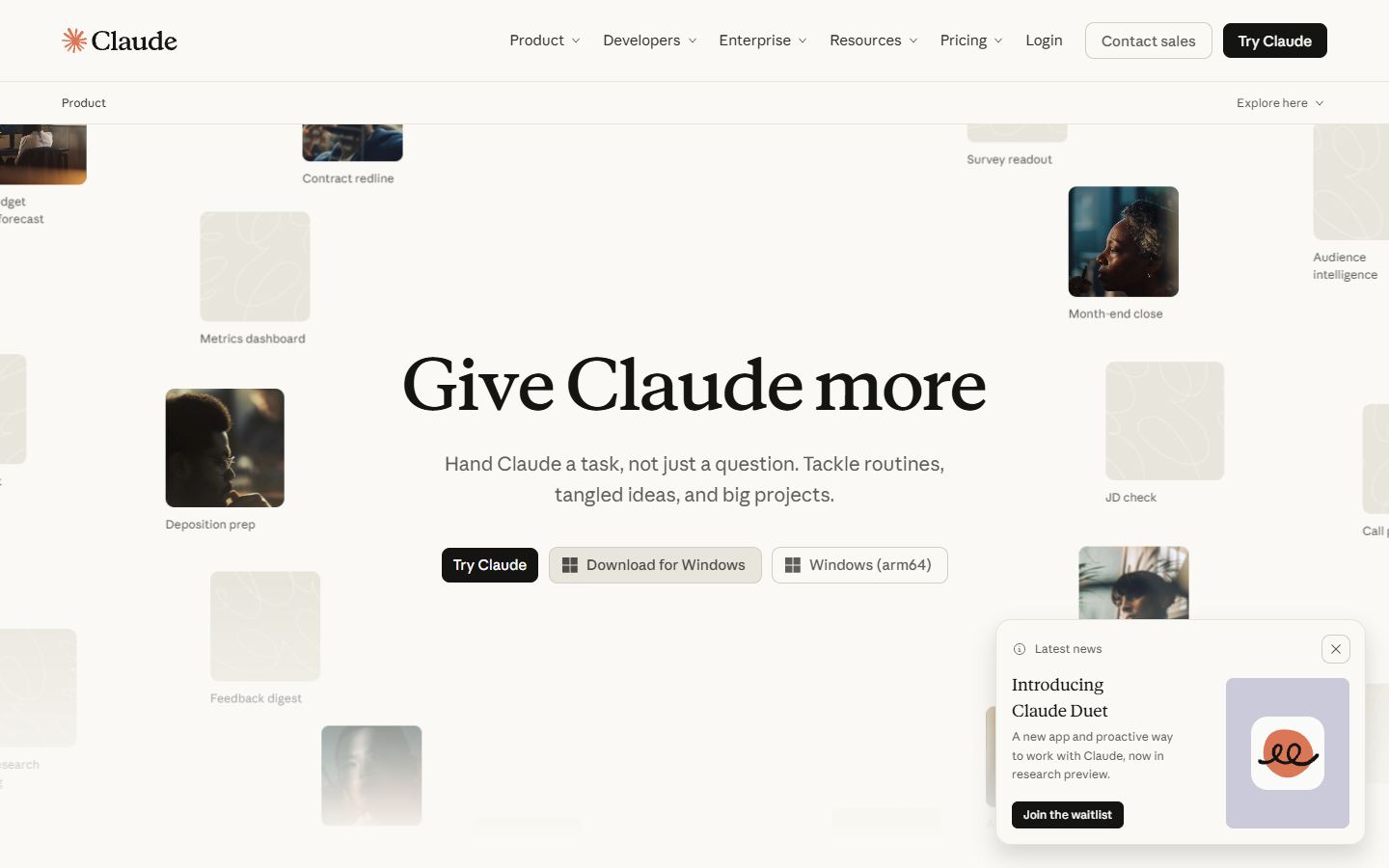
Product overview
Claude is a general-purpose AI assistant focused on writing, complex reasoning, long-document analysis, and coding collaboration. It quickly turns rough material into an editable first draft and helps users break down tasks, rewrite material, and move the work forward over multiple rounds of conversation. That is more valuable than a one-shot “final answer.”
Best for
Professionals who frequently work with long documents, complex writing, research, or code—and who are willing to review and refine the output over several rounds.
Pricing
| Plan | Current price or limits |
|---|---|
| Free | Useful for testing the writing style, answer quality, and basic workflows, though longer tasks are more likely to hit usage limits. |
| Pro | $20 per month, or $200 billed annually (about $16.67 per month). It suits regular use, but usage is not unlimited; the web app and Claude Code share the same usage pool. |
| Max | $100 per month, with roughly five times the usage allowance of Pro. It is better suited to users who code intensively or work with long documents every day. |
| Ultra | $200 per month, with roughly 10 times the weekly usage allowance of Pro; verified accounts are not subject to the five-hour session limit. |
Overall assessment: Whether Claude is worth paying for depends on how much time it saves on reading, writing, debugging, and organizing information. Pro and higher tiers are difficult to justify for occasional questions, but the time saved may offset the subscription cost for people who rely on Claude every day for coding or professional content. Cancellation should be requested at least 24 hours in advance, and payments are generally non-refundable.
If reports and file tasks are your main use case, review Claude Cowork plans, usage allowances, and actual task costs to judge whether an upgrade is worthwhile, rather than comparing monthly fees alone.
Best use cases
- Turn meeting notes, sales notes, and scattered requirements into emails, proposals, reports, or application materials.
- Read long documents, technical materials, and codebases; extract priorities and turn them into action lists.
- Plan software architecture, generate and revise code, troubleshoot errors, and process project files in batches.
- Draft long-form content and maintain direction through role definitions, style references, and multiple rounds of revision.
- Handle everyday tasks such as learning, research, life planning, audio transcription, and image or PDF analysis.
Pros
- Clear, well-structured output. Even with disorganized input, Claude can usually produce a coherent first draft quickly.
- Strong natural-language writing. Emails, articles, explanations, and bilingual content tend to feel less rigid or templated.
- Strong collaboration on complex tasks. Coding, long documents, research, and multi-step work are among its most widely valued strengths.
- Well suited to iterative work. With clear constraints, reference materials, and revision notes, it can continue improving the same task over multiple rounds.
- Projects, Artifacts, and Claude Code add practical value. They are especially useful for reviewing and revising work side by side, managing references, or processing files directly.
If you do not code but want help organizing files, summarizing sales data, or building a small website, start with Claude Code for non-coders and choose small tasks that are easy to undo and check.
Cons
• Usage limits can interrupt work. Long documents, intensive coding, and repeated revision rounds can quickly consume five-hour or weekly allowances, including on paid plans.
• Long conversations are not permanent memory. Conversation compaction, lost early decisions, and context that does not carry across projects and clients can force users to supply the same material again.
• Results still need human verification. Connectors may return outdated information, complex requirements can be misunderstood, and calculations, facts, or critical settings may be wrong.
• It can finish most of a task while missing something essential. The time needed for final checks and corrections matters in coding, long-form writing, and tasks with strict constraints.
• Subscription value varies considerably. Frequent professional users may save substantial time, while light users and solo freelancers may find higher tiers too expensive.
• Test mobile and browser extensions separately. On Android, I would check for freezing, test navigation and uploads, and confirm which project features are available. I would test the browser extension separately for my own workflow.
• Check cancellation and refund terms before paying. Cancellation is subject to timing requirements, and payments are generally non-refundable. I would confirm how appeals, verification, and refund requests are handled.
• Service is not always reliable. The status page has recorded incidents affecting models, the web app, Claude Code, mobile apps, and connectors within a short period.
Who it is for
- People willing to provide context, constraints, and reference materials and to revise the output over multiple rounds.
- People who regularly work with code, long documents, research materials, business writing, or complex content projects.
- Users who can independently assess whether the output is correct rather than treating AI-generated work as ready for delivery.
Who it is not for
- Individual users who need unlimited usage and uninterrupted work.
- People who expect a finished deliverable in one attempt and have no time for review or revision.
- People handling high-stakes factual, legal, medical, financial, or critical engineering work without access to qualified review.
- People who depend on immediate human support, guaranteed refunds, or a completely consistent experience across clients.
Hands-on experience
When I used Claude to work on a long novel, I did not ask it to generate freely from the first chapter onward. Instead, I first consolidated two reference works into a story bible of roughly 56,000 words, then created style references and character profiles. For each chapter, I supplied the relevant background, the preceding two or three chapters, a chapter outline, and representative passages. I had it draft the chapter, gave specific revision notes, and repeated the process—usually three to eight rounds per chapter.
Its greatest value was producing material I could revise quickly and suggesting alternative scenes within my constraints. The dialogue and scene structure were usually good, and Claude Code could check all 113 chapters in batches as project files. Later in the novel, though, character voices, location descriptions, and the timeline still drifted. It also tended to resolve conflicts too early and reuse certain sentence patterns. In the end, maintaining consistency required an external story bible, programmatic checks, and extensive manual rewriting. That experience made me see Claude as an efficient collaborator, not an author capable of delivering a finished manuscript independently.
Final recommendation
In my experience, Claude is the best AI coding assistant and the best AI writing assistant. If you want to use it, start with Free to validate your real workflow, then decide whether Pro saves time consistently. Max or Ultra is easier to justify only when Pro usage limits have clearly become a productivity bottleneck and the professional time saved can be quantified.
ChatGPT Work: Work Agent for Multi-Step Tasks
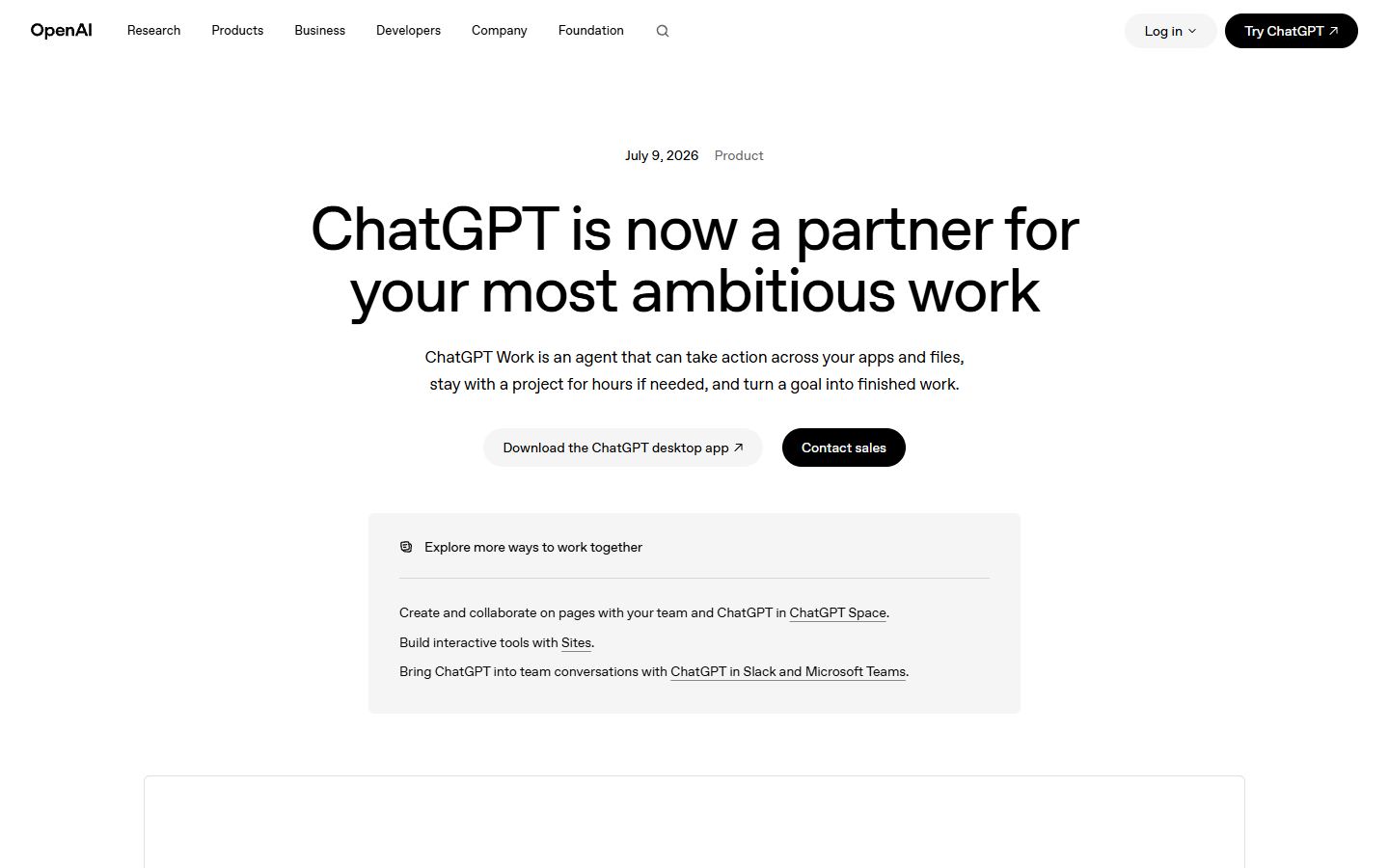
Product overview
ChatGPT Work takes a chat model a step further by turning it into an agent that can act on tasks. It can read project materials and local files, use apps, and carry out multi-step research, writing, spreadsheet, and presentation tasks to produce finished deliverables. It works best with clearly organized files and explicit checkpoints. Long-task usage limits, permission boundaries, and cloud storage still need to be tested on noncritical projects.
Best for
Individuals and teams that need AI to keep working across files, apps, and multi-step processes and deliver documents, spreadsheets, or presentations. The additional value may be limited if you mainly need Q&A or short copy, or already have a mature Projects workflow.
Pricing
| Plan | Current price or limits |
|---|---|
| Personal ChatGPT plans | ChatGPT Work is currently included with ChatGPT plans, and the desktop experience is available across plans, including Free, subject to plan-specific limits. |
| Business Standard | $20 per user per month when billed annually; $25 per user per month when billed monthly. |
| Business Premium | $100 per user per month when billed annually; $125 per user per month when billed monthly. |
Best use cases
- Read a local Markdown project directory and continue working with its existing rules, memory, and past decisions.
- Connect research, SEO, articles, social content, and shared spreadsheets into one content-production workflow.
- Organize Excel files, customer information, old PDFs, and scanned notes, then produce documents or presentations.
- Review large Notion or Obsidian knowledge bases, reorganize pages, and check consistency.
- Manage products, prices, collections, design, and publishing tasks for a small e-commerce business.
- Run multi-step tasks that take tens of minutes or longer, with explicit checkpoints for review.
If you keep most of your materials in Obsidian, you can also compare four ways to connect Claude to Obsidian. Pay particular attention to protecting links when moving or renaming notes.
Pros
• Acts on your materials rather than just offering advice: It can read files and app context and produce documents, spreadsheets, slides, websites, or reports.
• Works well with organized project folders: Users who rely on Markdown, clear folder structures, and reusable rules face less migration and reuse overhead.
• Connects complex workflows: Research, writing, data processing, asset creation, and recordkeeping can all feed into the same task.
• Covers multiple devices and local workflows: Paid tiers are available on desktop, web, and mobile; the desktop app can also access local files with permission.
Cons
• Long tasks may stop before they are finished. For a job such as processing very long subtitles, I would check whether it finished, try “Continue” if it stopped early, and verify that the final output covers the full source.
• In the Windows desktop app, controls for switching between Chat and Work, selecting permissions, and choosing local or cloud execution have sometimes disappeared. Recovery methods have not been consistent across users.
• Work shares usage limits with Codex; when the quota is low or exhausted, it directly affects whether a task can continue.
• Experienced Projects, regular Chat, or Codex users may find the distinctions unclear and feel that Work is simply a different entry point.
• Local execution does not mean all data stays on the device. Messages and task context may still be stored in the cloud.
• Synced folders such as OneDrive can return truncated files or an incomplete local state. Keep important directories under version control and verify them manually.
• Retry can sometimes resume a failed task, but the need to intervene means the workflow is not fully unattended.
Who it is for
- Individuals and teams with substantial document, spreadsheet, presentation, research, or content-production work.
- People who already organize project materials in Markdown, Obsidian, Notion, or clearly structured folders.
- People willing to configure agent permissions, checkpoints, version control, and human acceptance checks.
- People who need a task to keep moving across multiple apps and files.
Who it is not for
- People who mainly need chat, short answers, or occasional writing help.
- People who need long tasks to run completely unattended and cannot accept interruptions or retries.
- People handling highly sensitive materials who have not yet checked their plan’s data policies, cloud storage, and organizational permissions.
- People who depend on key Windows client controls and cannot tolerate interface changes after updates.
Hands-on experience
I used ChatGPT Work for business operations: processing Excel files, creating presentations, and organizing customer data. I had already stored project background, rules, and past decisions in a hierarchy of local Markdown files, so I did not have to explain the project again from scratch. I first used my previous agent to remove platform-specific formatting from those files, then pointed Work at the same directory. It understood the existing structure and continued with the data logic and document tasks. The migration was smoother than I expected.
I valued its ability to keep working within my existing file structure more than how humanlike its answers sounded. I did encounter truncated documents returned by OneDrive, so I added file-integrity checks and considered using Git for version history. On pricing, I would judge it by how much real work a subscription and its usage allowance can complete, not just the monthly fee. I do not have a complete cost record, so I cannot draw a precise conclusion about value for money. I plan to keep using ChatGPT Work, but not to lock my materials into one platform. Keeping standard Markdown and files I can roll back lets me switch between agents according to the task.
Final recommendation
The potential is substantial, but long-task reliability, usage limits, Windows client controls, and privacy boundaries need testing on noncritical projects first. Start with a real project that is reversible and not critical to production. Test file access, long-task completion rates, usage consumption, and permission controls. Only after confirming stability should you gradually introduce customer data, live publishing, or irreversible operations.
Gemini: Multimodal AI Assistant for the Google Ecosystem

Product overview
Gemini is Google's multimodal personal AI assistant. It helps with research, writing, and document analysis, as well as image and video creation, coding, and voice interaction. It also works across Gmail, Drive, Docs, and Chrome. For people already in the Google ecosystem, reducing copying, context switching, and information handoffs matters more than standalone chat ability.
- Handles text, images, audio, video, documents, spreadsheets, and code.
- Integrates closely with Google services to support research and drafting in Gmail, Drive, Docs, and Chrome.
- The free tier includes basic chat, image features, Deep Research, Gemini Live, and Canvas; paid tiers expand model access, context capacity, and generation allowances.
- AI Pro and Ultra offer a 1-million-token context window, but a large window does not guarantee accurate adherence to every constraint in a long project.
- Can replace Google Assistant on Android, though some of the older assistant’s voice features are not yet fully covered.
Best for
Individual users who rely heavily on Gmail, Drive, Docs, Chrome, and other Google services and need research, writing, document analysis, and multimodal creation tools.
Pricing
| Plan | Current price |
|---|---|
| Free | Free. |
| Google AI Plus | $9.99/month |
| Google AI Pro | $19.99/month |
| Google AI Ultra | From $99.99/month |
Overall assessment: Opinions on value vary widely. Heavy Google One, Gmail, Drive, and Docs users are more likely to find Pro’s bundled benefits worthwhile. People using Gemini only as a standalone chatbot are more likely to question the monthly fee because of usage limits, accuracy issues, or failed generations. The safest approach is to use the free tier for a real task over several days, then decide whether to upgrade based on usage limits, time spent reworking output, and your Google storage needs.
Best use cases
- Research and information gathering: Get oriented on a topic, summarize webpages and long documents, and build a research framework, then verify key facts yourself.
- Google Workspace workflows: Summarize materials across email, cloud storage, and documents, draft replies, and organize first drafts with less copying and pasting.
- Writing and creativity: Get past the blank page, develop story settings, draft marketing copy and product descriptions, and adjust tone.
- Learning support: Explain course material, break down difficult concepts, and create practice questions and study plans.
- Code and data: Explain code, help debug, and analyze files or data to give developers a starting point.
- Images and multimedia: Generate images, change backgrounds, and explore visual concepts. Treat this as exploration, not a guarantee that exact facial or product details will be preserved.
- Mobile voice assistance: Hands-free interaction and Gemini Live are appealing, but existing Google Assistant users should test their usual commands first.
Pros
• Meaningful ecosystem integration: Access to context in Gmail, Drive, Docs, and Chrome is its most consistent differentiator.
• A quick start on everyday tasks: Research, summaries, first drafts, brainstorming, and explanations generally require less preparation.
• Broad multimodal support: Text, files, images, voice, and code can work together in one product.
• Capacity for large inputs: Paid tiers suit large documents, codebases, and multi-file analysis.
• A useful free starting point: Individual users can test their workflows before paying.
Cons
• Confident errors and hallucinations: It can state incorrect information confidently or alter facts and creative premises the user has already supplied. Check original sources for research, travel, history, health, and professional information.
• Unreliable project state in long conversations: As a thread grows, it may revisit old topics, forget earlier constraints, or produce generic output, sometimes forcing you to start a new conversation.
• Unpredictable usage limits: Consumption depends on prompt complexity, model choice, long conversations, large files, and media features. Google explicitly notes that limits can change with capacity.
• Following instructions can require repeated adjustments: Requests for short answers may produce lengthy responses, small edits can turn into full rewrites, and image details may drift.
• Service reliability is not assured: The official status page records incidents lasting hours or days. I would keep a fallback for time-sensitive work.
• An incomplete replacement for Google Assistant: Some older voice features are missing. Users relying on driving commands, home devices, and established routines should test each one.
Who it is for
- People who already rely heavily on Gmail, Drive, Docs, Chrome, and Google One.
- People who need preliminary research, summaries, first drafts, learning explanations, and creative exploration.
- People willing to divide long tasks into stages, save intermediate results, and verify facts.
- People who want to test the free tier before upgrading according to actual usage.
Who it is not for
- People who expect AI to retain complex project state indefinitely without maintaining external documents.
- Users running critical business workflows who cannot tolerate factual errors, instruction drift, or occasional outages.
- People who need a complete replacement for older Google Assistant commands, routines, and in-car voice features.
- People planning to enter confidential personal information into a personal account without adjusting history and data settings.
- People who only need simple chat and do not use Google storage or Workspace integration; the paid bundle may offer limited value.
Hands-on experience
I used Gemini for five months, initially because it was easy to access on my phone. I mainly researched household products, internet culture, and school subjects, and used its creative-writing features to continue several RPG stories. Short tasks were the easiest. With one focused topic, it could quickly suggest a direction and organize an article. For stories, long threads and selectable response branches made it easier to adjust the plot. Long projects were what gave me pause. It sometimes latched onto a detail introduced midway through and kept looping back to it, even after I changed the topic. Once, it invented a game mechanic that did not exist and rewrote the story around it; correcting the error did not fully restore the plot. I learned to start a new conversation when the project moved to a new stage and to ask it to “list weaknesses and counterexamples” rather than simply assess my ideas. I do not have a complete record of my plan and monthly spending, so I cannot draw a firm conclusion about value for money. My practical choice was to keep it as a quick research and creative partner, not let it handle complex factual research or health and legal judgments on its own.
Final recommendation
Gemini is worth testing as a research, writing, and multimodal assistant within the Google ecosystem, especially for tasks that can be reviewed and corrected manually. Before paying or replacing an existing assistant, test your usual workflows, long-thread stability, usage limits, and privacy settings. Important facts, professional judgments, account actions, and irreversible tasks should still be confirmed by a person.
Orkas: Local-First, Open-Source Multi-Agent AI Desktop Assistant
Disclosure: Orkas is our product. This section draws on first-party materials and hands-on experience. To reduce bias, we use the same criteria as for the other products: pricing, strengths, limitations, intended users, and situations where it is not a good fit.
Product overview
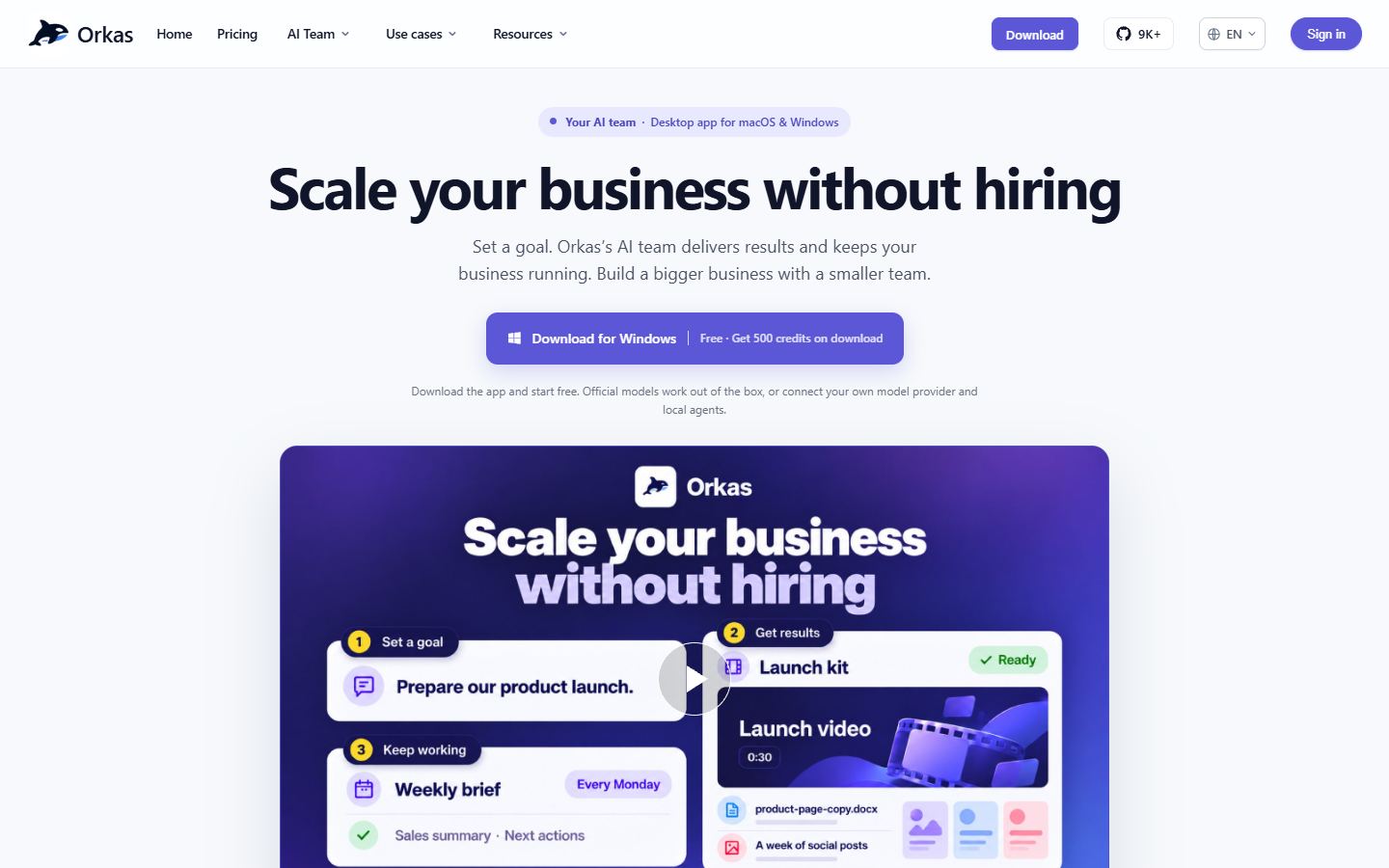
Orkas is a local-first, MIT-licensed multi-agent desktop application. Commander breaks down goals, delegates work, and coordinates specialized agents. The product includes 16 built-in agents and lets users choose from more than 30 agents in the agent library or create custom agents.
To put these capabilities to work on a recurring job, start with building your first AI employee and then a team. Define the role, inputs, outputs, and acceptance criteria first.
You can use it for research reports, SEO audits, or articles, and work with videos, PowerPoint presentations, and Word, Excel, or PDF files. Websites, code, and ecommerce operations are also within its scope. Projects can hold to-dos, memory, and a knowledge base, with Auto-advance to keep work moving automatically or scheduled automation to run it later. Connectors cover Gmail and Google Calendar, along with Sheets, Drive, Notion, Slack, Shopify, and Stripe. Orkas itself is free. It can also coordinate locally installed tools such as Claude Code, Codex, OpenCode, and OpenClaw on the same project.
Best for
Solo founders, small teams, and productivity-focused users who need multiple AI agents to collaborate over time and deliver research, content, code, office files, and business workflows.
Pricing
| Plan | Current price or limits | Value assessment |
|---|---|---|
| Installed app | Free download; receive 500 credits after signing in and start using built-in Orkas models | Useful for a quick trial and testing the full feature set |
| Bring your own model API key | Connect providers such as Claude, OpenAI, Gemini, DeepSeek, Kimi, GLM, Qwen, MiniMax, and Doubao | Model fees are billed separately by the relevant provider |
| Local models | Connect OpenAI- or Anthropic-compatible endpoints, such as Ollama and LM Studio | Greater control over data, but you must set up the local models yourself |
| Source edition | MIT-licensed open source; no account required; use your own API key or local model | For developers and users who prioritize local control |
| Paid membership | The README does not list a specific price; the installed edition can provide cloud synchronization, shared projects, and web app publishing | Assess against actual usage and collaboration needs |
The installed app can use Orkas-managed models, while the source edition places more responsibility on you to configure models and the runtime environment. The main appeal is being able to choose whichever models on the market you want to use.
Best use cases
- Produce research reports, market analysis, SEO audits, and competitor research.
- Turn source materials, goals, and drafts into articles, posts, briefs, and PowerPoint presentations.
- Use existing assets to produce videos, voiceovers, subtitles, and promotional content.
- Create, edit, and check Word, Excel, PowerPoint, and PDF files in batches.
- Work from a code repository to develop features, fix bugs, refactor, review code, and write release notes.
- Handle e-commerce product selection, product copy, review analysis, sales data, and product operations.
- Break a complex goal into tasks for multiple agents and keep moving toward a final deliverable.
- Use scheduled tasks to generate recurring reports, content, sales data, or business analysis.
- Let people and AI manage to-dos together in the same project.
If you mainly edit existing footage, see how to choose between a Claude video-editing skill and a no-configuration route, distinguishing self-installed tools from a built-in video agent.
Pros
- Local-first security and privacy: Conversations, files, knowledge bases, memory, and custom agents are stored on your device by default.
- Multi-agent collaboration: Commander can break down tasks automatically and call on specialized agents.
- A wide range of deliverables: It does more than answer questions: it can produce articles, videos, presentations, office files, websites, and code.
- Support for long-term projects: Projects retain goals, rules, memory, and files so a new conversation can pick up where the last one left off.
- Multiple model options: Use built-in models, your own API keys, or local model endpoints.
- Compatibility with external coding agents: Bring CLI tools such as Claude Code, Codex, and OpenCode into the same workflow.
- Auditable open source: The MIT license allows users to inspect the implementation and deploy it locally.
- Ongoing automation: Auto-advance and scheduled tasks can continue with the next to-do.
If you already use coding agents, see how to use Claude Code and Codex together, including how to arrange sequential handoffs and parallel tasks.
Cons
- Not a fully unattended cloud tool: Auto-advance and scheduled automation require the computer to stay awake and Orkas to remain running.
- Credits and model costs still matter: The installed app includes only 500 introductory credits. Continued use of built-in models may require buying credits or a membership.
- Multi-agent work needs oversight: Task breakdowns, permissions, prompts, file scope, and final results still need human checks.
- Local-first also means local responsibility: Hardware failures, sleep mode, disk problems, or local permissions can affect task execution.
- Too much tool for very simple automation: Orkas may be excessive if you only need notifications, spreadsheet syncing, or a few SaaS connections.
- Privacy boundaries need to be understood: Your own API keys are stored locally by default, but enabling cloud sync, shared projects, or web apps may send relevant data to Orkas services.
Who it is for
- Solo founders, content teams, and small business teams.
- People managing research, content, development, or operations projects over time.
- Users who want multiple agents to work together.
- People who value control over local files, privacy, knowledge bases, and API keys.
- People who want to use tools such as Claude Code and Codex without constantly switching windows.
- Users who need to work with documents, spreadsheets, presentations, videos, and code.
- People willing to review AI output and manage connector permissions and task boundaries.
Who it is not for
- Individual users who only need ordinary chat and Q&A.
- People who only want to build one simple automation.
- Users who need tasks to keep running after their computer is shut down.
- People unwilling to configure models, API keys, file permissions, or the local environment.
- Organizations that need mature enterprise SLAs, professional support, and centralized cloud administration.
- People who want cloud sync and collaboration but do not want any data stored outside their device.
- Users who expect AI to perform high-risk business operations without human review.
Hands-on experience
I brought an ongoing code project into Orkas, collecting its goals, rules, knowledge base, and related files in one project. I then had Commander assign research, writing, presentations, and file processing to different agents. It could keep helping the project evolve, even across days. Compared with a regular chatbot, I valued keeping the project, to-dos, memory, and deliverables in one workspace so later conversations could continue the work. A smarter individual answer was not the biggest difference. Having tasks execute locally gave me a strong sense of security. I was already used to Claude Code and Codex, and Orkas let me bring them into the same project: the coding agent handled code changes, while other agents handled research, documentation, and release materials. Still, I would not describe Orkas as a fully unattended cloud team, because scheduled tasks and Auto-advance depend on the computer staying awake.
Final recommendation
Orkas is worth trying as a local-first multi-agent workspace, particularly for individuals and small teams producing research reports, articles, videos, presentations, office files, and code on an ongoing basis. Start with the installed app’s 500 introductory credits and a real, low-risk project you can roll back. If local data control and multi-agent collaboration are your priorities, it is worth exploring further. If you need cloud automation that continues after your computer is turned off, also compare Manus, ChatGPT Work, or other cloud-based agent products.
Microsoft 365 Copilot: Enterprise AI Assistant Embedded in Microsoft 365
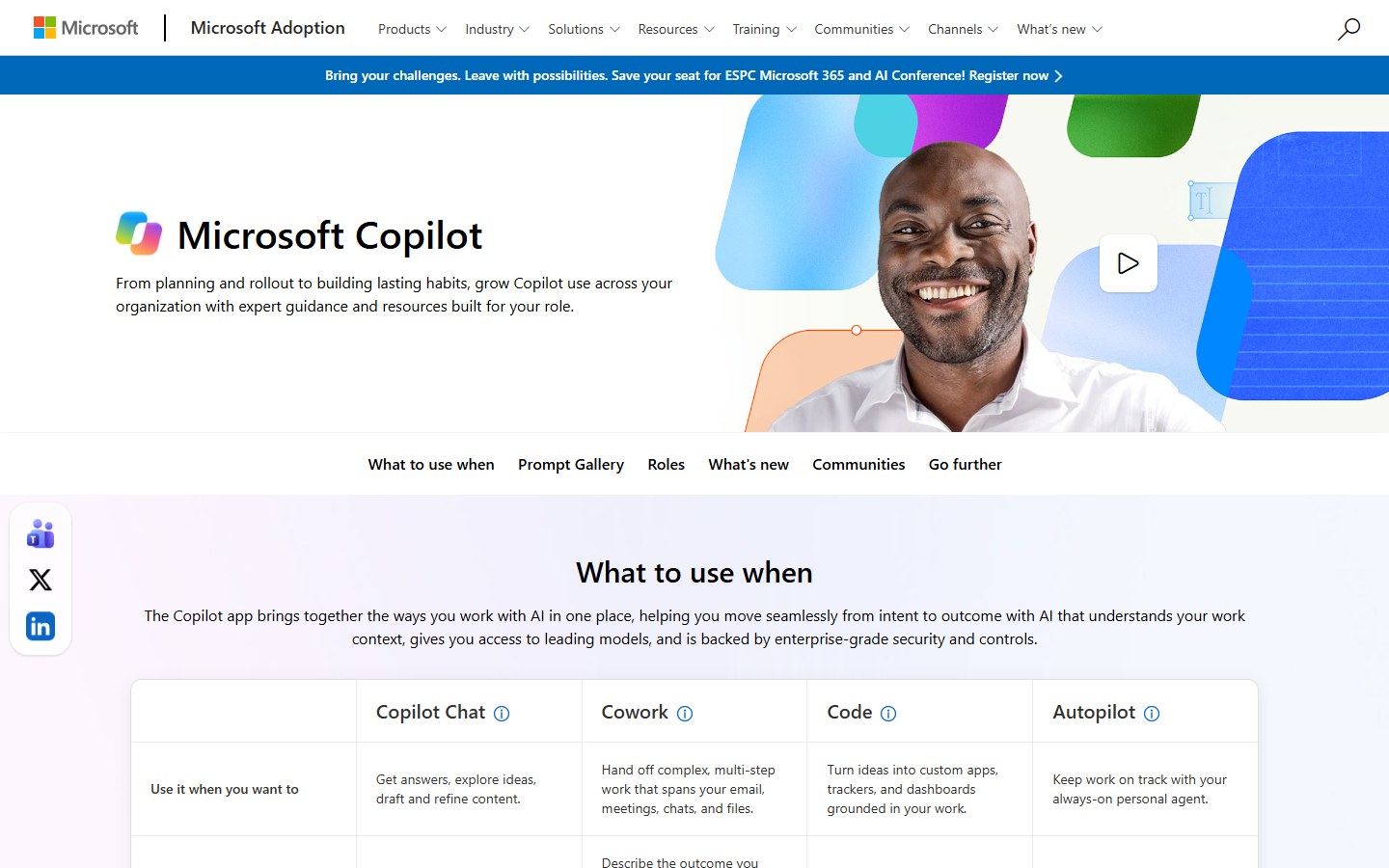
Product overview
Microsoft 365 Copilot brings AI into Word, Excel, PowerPoint, Outlook, and Teams with the context of company email, meetings, and files. That is its core value; simply providing another chatbot would not capture it. It suits individuals and teams already invested in Microsoft 365 who can define the scope of work and review the results. If you mainly need general writing, chat, or occasional answers, the extra license is much harder to justify.
Best for
Teams already committed to Microsoft 365 that want to improve productivity in Word, Excel, Outlook, Teams, and workflows grounded in company data.
Pricing
| Plan | Current price or limits |
|---|---|
| Pricing page | As of 2026-11-24, the official United States page shows: |
| Microsoft 365 Copilot Business add-on | Promotional price of $18/user/month with an annual commitment; regular annual-plan price of $21/user/month. |
| Microsoft 365 Business Standard + Copilot | $23.50/user/month. |
| Microsoft 365 Business Premium + Copilot | $32/user/month. |
Overall assessment: For individual plans, Microsoft 365 Personal normally costs $9.99/month ($99.99/year), Family $12.99/month ($129.99/year), and Premium $19.99/month ($199.99/year). Promotional prices may differ.
For people handling many meetings, emails, and documents each day, the time saved may offset the price. Paid value is weaker for small teams, light users, or people who do not need integration with work data. Before buying, check the underlying Microsoft 365 plan, Copilot add-on, administrator settings, and actual app version to avoid paying for a feature you still cannot access.
Best use cases
- Summarize Teams meetings, including action items, owners, and unresolved questions.
- Draft replies from email threads and extract decisions, deadlines, and follow-up items.
- Turn existing Word, PDF, Excel, and internal materials into summaries, reports, or draft project plans.
- Find work context in company email, calendars, meeting notes, and SharePoint files.
- Set scheduled prompts for daily briefings, sales-pipeline reviews, competitor updates, and commitment tracking.
- Get initial help with Excel formulas, data explanations, and categorization, while checking key figures manually.
Pros
• Integration with work context: Copilot can draw on email, calendars, meeting records, files, and organizational information. This is its clearest distinction from an ordinary AI chatbot. Heavy users particularly value Work IQ for internal materials, customer background, and meeting context.
• Time savings on frequent office tasks: Email drafts, long-document summaries, meeting notes, project materials, and consistent formatting are its most dependable uses. It works better as a starting point to revise than as a final answer requiring no review.
• Scheduled workflows: Users can set up morning briefings, weekly pipeline reviews, competitor summaries, and commitment tracking. With clearly defined time windows, sources, and output formats, these recurring tasks can deliver value more consistently than open-ended chat.
• A relatively comprehensive enterprise governance foundation: Microsoft says Copilot respects existing Microsoft 365 permissions, does not use prompts, responses, or Graph data to train foundation models, and provides encryption, retention, deletion, and compliance controls. These statements mainly come from official policies; organizations should still check their own contracts, regions, and security requirements.
Cons
• Inconsistent output: The same email search or file-analysis task may work well once, then miss content, fail to read a file, or return generic results. Users often need to restate the files, time range, audience, and format.
• Higher risk with complex Excel work: Copilot may generate invalid formula syntax or confident but incorrect analysis for complex formulas, large datasets, and figures requiring exact reconciliation. Use reproducible formulas and human checks for audit figures, financial data, and critical metrics.
• Fragmented features and interfaces: New Outlook, Classic Outlook, the web and mobile apps, and Frontier previews may offer different capabilities. Unclear license names, administrator settings, and feature locations can make users think a feature is missing or their account is broken.
• Underestimated prompting and training costs: Simply asking “summarize this file” often produces bland results. A more reliable approach is to identify the actual source, specify the audience, length, and format, ask it to flag anything untraceable, and let a person decide what to use. Teams that distribute licenses without training may see low adoption and limited value.
• Minor issues: Repeated clarification is often needed. Answers may be generic or incorrectly formatted, pop-up assistance may interrupt work, or several prompts may be needed for usable output. Prompt templates and manual editing can usually address these problems.
• Moderate issues: Search, context, and in-app capabilities can be unreliable. Email access may work intermittently, long conversations may lose earlier context, Excel may not understand an open workbook, and Outlook capabilities may differ between versions. Troubleshooting and retries can erase the time saved.
• Serious issues: Incorrect output can enter critical workflows. Errors in complex numerical analysis, legal citations, external commitments, permission-sensitive content, or unattended automation have consequences beyond ordinary writing flaws. Copilot should prepare materials and drafts, not independently provide final sign-off, perform audits, or make business decisions.
Who it is for
- Knowledge workers already using Outlook, Teams, Word, Excel, and SharePoint extensively.
- Managers and sales, research, operations, and project staff handling large volumes of meetings, email, documents, and internal materials.
- Teams able to build prompt templates, verify sources, and follow an “AI drafts, humans decide” approach.
- Organizations with administrators who can configure permissions, licenses, training, and governance.
Who it is not for
- Users who only need general chat, simple writing, or occasional AI help.
- People expecting consistently finished results without learning the tool or reviewing its output.
- Teams that need AI to independently handle financial reconciliation, legal citations, exact calculations, or critical decisions.
- Small teams with little tolerance for app-version differences, license management, and ongoing product changes.
Hands-on experience
My daily work involves email, meeting notes, long documents, Excel formulas, and Word content. With Microsoft 365 Copilot, I first turn long email threads and Teams meetings into short summaries, then use that material to draft replies or documents. For Excel formula problems, I treat it as a starting point for explanation and troubleshooting. This reduces app switching and repeated information gathering; I estimate it saves me about an hour a day.
The limitations are equally clear. Responses can slow down as tasks get longer. Plausible-looking content can still contain small errors, so I always check it before use. Some features are initially hard to understand, and support and onboarding are not clear enough. The price is high for a small team. If I only needed an occasional email or simple summary, I would not consider it worth an ongoing subscription.
Final recommendation
Start with a small trial of one real, frequent workflow, such as meeting notes, extracting email action items, or summarizing internal documents. Record actual time saved, error rates, and human review costs. Expand only when the benefits of Microsoft 365 work context consistently outweigh the purchase, training, and verification costs.
Ajelix: AI Workspace for Spreadsheet Automation
Product overview
Ajelix is an AI toolset centered on spreadsheet automation that is gradually expanding into an agent workspace for a wider range of tasks.
Best for
Individuals and small teams who want to complete spreadsheet tasks through natural language. Its capabilities go beyond formula generation to include code explanation and debugging, spreadsheet translation, data analysis, dashboards, and some office-automation tasks.
Its strongest appeal is in Excel formulas, VBA, Google Apps Script, and spreadsheet processing. Complex tasks still need human review, and the maturity of its latest agent features needs testing on real projects.
Pricing
| Plan | Current price or limits |
|---|---|
| Free | 10 requests per month, suitable for small-scale testing with real workbooks. |
| Lite | $39/user/month; about $32/month when billed annually. |
| Pro | $99/user/month; about $82/month when billed annually. |
| Max | $199/user/month; about $165/month when billed annually. |
Overall assessment: Plans differ in model access, request limits, file sizes, storage, and computing resources. The free tier lets you test formula accuracy, script functionality, and file compatibility, but 10 requests per month will not support sustained use. The jump to the cheapest paid tier is also substantial. Frequent formula, scripting, and automation work may save enough time to cover the subscription. Occasional simple formulas are harder to justify paying for.
Best use cases
- Generate, fix, or explain Excel formulas.
- Write, debug, and optimize VBA.
- Automate Forms and Sheets data processing with Google Apps Script.
- Create charts, dashboards, and analyses from spreadsheets.
- Translate formulas, spreadsheet content, and multilingual data.
- Assist with financial analysis, research, marketing content, and presentations.
Pros
• Comprehensive spreadsheet automation: Formulas, VBA, Apps Script, data analysis, and visualization are available together, reducing tool switching.
• Accessible to nonprogrammers: Users can describe tasks in natural language, making it useful for people with strong business knowledge but limited coding experience.
• Practical scripting support: Generate, explain, and debug VBA and Apps Script for ongoing spreadsheet-automation workflows.
• Multilingual support: Describe tasks in different languages and translate formulas and spreadsheet content for cross-regional collaboration.
Cons
• Fragmented feature access: The traditional tools, new agent workspace, and individual generators can feel disconnected. New users need time to learn where things are.
• Complex tasks still need review: Complex formulas, cross-sheet references, messy data, and long scripts can contain errors. Do not use them in critical workflows without checking.
• Limited control over advanced analysis: Dashboards are easy to generate, but layouts, metric logic, and presentation details may need manual adjustments or a dedicated BI tool.
• New agent features still need validation: Spreadsheet and scripting automation offer the clearest value today. Test other expanded modules separately before buying.
Who it is for
- Users who frequently write Excel formulas, VBA, or Google Apps Script.
- Operations, finance, and analytics staff connecting Forms, Sheets, and scripts into automated workflows.
- Nontechnical users who want to describe spreadsheet tasks in natural language.
- Individuals and teams working with multilingual spreadsheets.
- People willing to test real workbooks before deciding whether the efficiency gains justify paying.
Who it is not for
- Budget-conscious users who only need a few simple formulas each month.
- High-risk businesses that cannot tolerate AI errors and lack human review capacity.
- Teams requiring comprehensive approvals, audit trails, and mature enterprise governance.
- Professional analytics teams needing highly customized BI dashboards.
- Organizations expecting to deploy every agent feature without a proof of concept.
Hands-on experience
I chose Ajelix to handle a real work project; generating the occasional Excel formula was not enough. Data collected in Google Forms needed to go into Google Sheets, then Google Apps Script needed to automate steps previously done by hand. Its most useful feature was generating reasonably clear scripts from natural-language requirements. That helped me connect Forms, Sheets, and data tracking and gave team members a more consistent way to handle information.
Beyond Google ecosystem automation, I also use it for complex Excel formulas. Having formulas, Apps Script, and spreadsheet features in one tool reduces switching between products. The output still needs human checks, especially complex formulas, sheet references, and longer scripts. I would not use it for important business work without testing.
Price is the main factor in whether I keep using it. Frequent Forms, Sheets, Apps Script, or complex spreadsheet work may save enough time to cover the subscription; occasional simple formulas make the lowest paid tier feel expensive. My choice is to test real workbooks with the free allowance, confirm script stability, formula accuracy, and workflow compatibility, and then decide whether to pay.
Final recommendation
Ajelix’s spreadsheet automation has practical value, especially for frequent Excel, VBA, and Apps Script users. However, its cheapest paid tier is expensive for light users, complex tasks still need human review, and the newer general-purpose agent features need validation on real projects.
Start with small-scale testing using the free allowance rather than committing to a long subscription or large purchase. Consider upgrading only when actual time savings, accuracy, and workflow compatibility all meet expectations.
CloudTalk: AI Cloud Phone Platform for Sales and Customer Support
Product overview
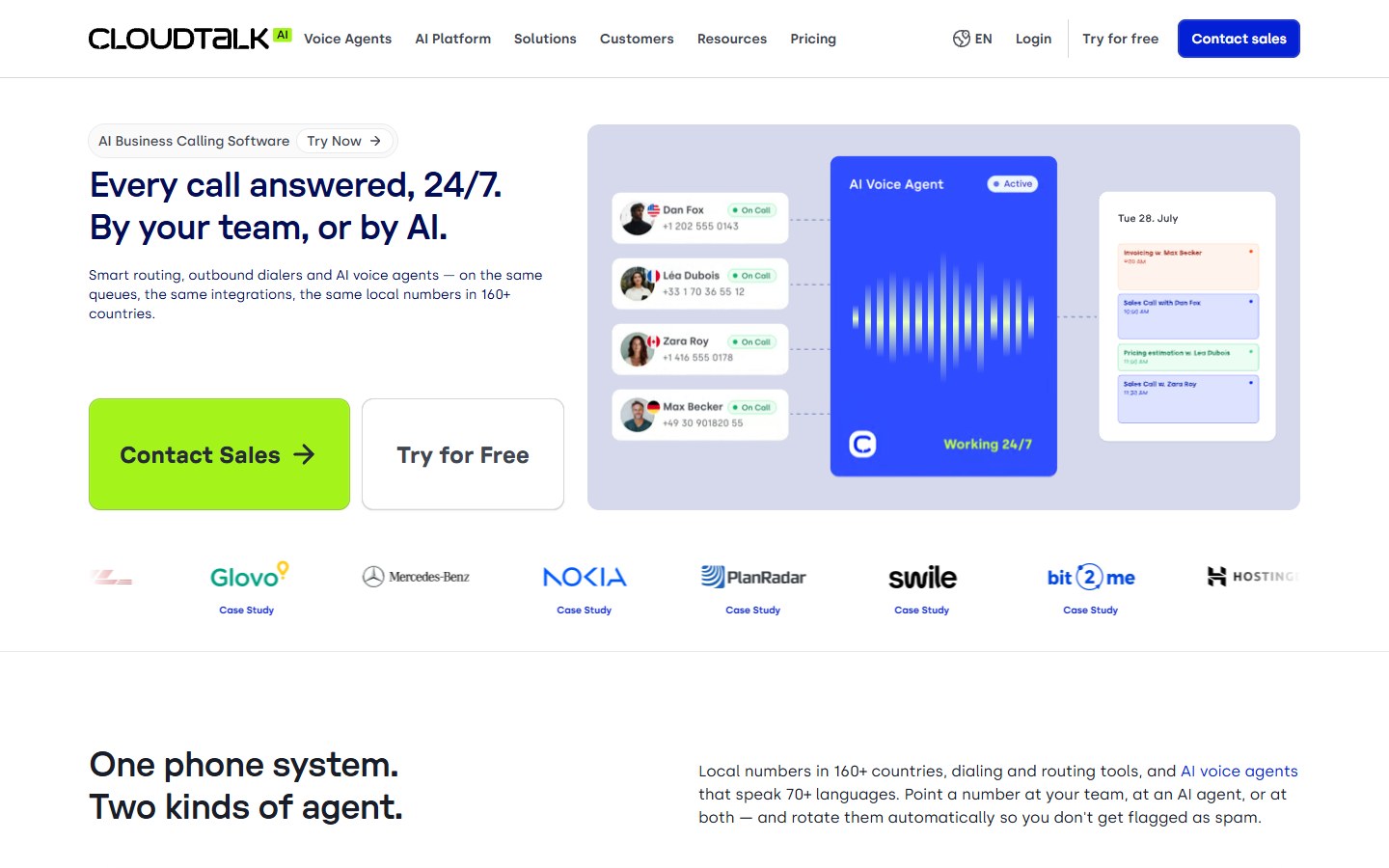
CloudTalk is a cloud phone and contact-center platform for sales and support teams. It provides international numbers, inbound routing, and sales dialers, and can analyze recordings and log calls to a CRM automatically. Alongside internet calling, the system brings numbers and dialers together with IVR and queues. It includes recordings and analytics, integrations with HubSpot, Pipedrive, and Salesforce, plus AI transcription and Voice Agent.
Best for
Sales and customer-support teams that need to manage international calling, outbound dialing, customer call records, and CRM follow-up centrally.
Pricing
| Plan | Current price or limits |
|---|---|
| Pricing page | Based on the official German/euro pricing page as of November 24, 2026; taxes and region may affect the final bill: |
| Starter | About €25/user/month billed annually, or €34 billed monthly. |
| Essential | About €29/user/month billed annually, or €39 billed monthly. |
| Expert | About €49/user/month billed annually, or €69 billed monthly; minimum 3 seats. |
| Conversation Intelligence | Basic €9/user/month; Plus €19/user/month. Numbers, dialers, and calling packages cost extra. |
| AI Voice Agent | First 50 minutes free per account. AI Specialist costs €349/month for 1,000 minutes; high-volume plans can start at about €0.15/minute. |
Overall assessment: Conversation Intelligence, AI Power/Parallel Dialer, additional numbers, international calling packages, and branded caller ID may cost extra.
The base seat price is not unreasonable among business phone platforms, but the real total is seats + numbers + calling regions + dialers + AI + taxes. During the trial, ask sales for a complete monthly quote based on team size, daily dialing volume, target countries, number count, and required integrations—not just the starting price.
Best use cases
- Give small sales teams local numbers quickly and let them call directly from a browser or CRM.
- Automatically log calls, recordings, tags, and transcripts in HubSpot, Pipedrive, and similar systems, reducing manual sales updates.
- Configure IVR, queues, business hours, transfers, recordings, and agent monitoring for support teams.
- Manage numbers across countries centrally, while testing call quality in each target country.
- Review agent status, call volumes, outcomes, and recordings for sales coaching and quality checks.
- Connect a custom CRM through APIs, webhooks, or workflows if the team has the technical skills.
Pros
- Centralized setup: Numbers, routing, and agent setup are handled in one system.
- Practical CRM workflows: Automatic logging, click-to-call, transcription, and call summaries reduce duplicate data entry.
- International numbers and features in one place: Numbers, routing, dialing, recording, analytics, and messaging do not require separate tools.
- An understandable everyday interface: I would test the basic operations with the people who will use them, especially in a small team without a dedicated phone-system administrator.
- Onboarding and configuration support: I would confirm what help is available for setup, onboarding, and routine configuration.
Cons
• Test call quality and connection rates by region: I would test each market I plan to serve, including North America and the UK if relevant, and check for latency, dropped calls, and failed connections.
• Platform incidents can directly affect business: The official status page has recorded US recording/voicemail storage incidents and reduced regional availability. Problems with calls, recordings, or callbacks can hurt revenue and customer service more than an ordinary SaaS interface bug.
• Billing and cancellation expectations can lead to disputes: Extra calling charges, numbers, AI, dialing modes, and seat fees can push bills above the base seat price. Get contract and renewal terms in writing.
• I would test battery use, sign-in, and call reliability on mobile before relying on it as a full replacement for the desktop app.
• Adding agents, filtering call history, exporting data, and some incoming-call workflows can involve scattered settings or awkward UI.
• Fast support replies do not guarantee that complex connection issues will be resolved. Clarify escalation procedures and resolution timeframes.
Who it is for
- Small and midsize sales or support teams needing international numbers, CRM integration, and centralized call records.
- Companies that want to get started quickly without building their own VoIP infrastructure.
- Teams willing to stress-test real countries, networks, and call scripts before signing.
- Managers who value recordings, transcripts, analytics, and sales coaching.
Who it is not for
- Global teams that require carrier-grade reliability in every country but will not run regional pilots.
- Mobile-first users who cannot tolerate occasional login, battery, or call issues.
- Teams whose budgets cover only base seats but whose needs include extensive international calling, advanced dialers, and AI.
- Organizations expecting frontline support to resolve every complex connection problem immediately.
Hands-on experience
I use CloudTalk with our sales team, first assigning numbers to team members and then connecting the CRM so outbound call logs and outcomes sync automatically. I no longer need to write up every call manually, and managers can review outcomes through recordings, transcripts, and analytics. That is the main benefit; simply having another dialer would not be enough. Basic setup is straightforward, numbers and routing can be configured quickly, and the everyday dialing interface is clear.
My main concern is that one successful call does not establish reliability. I test the actual countries, networks, and devices our team uses, paying particular attention to connection rates, audio quality, callbacks, recordings, and CRM logging for UK and other cross-region numbers. If mobile battery or login problems arise, I use the desktop app as the main workspace rather than making sales staff depend entirely on phones. For pricing, I include extra numbers, calling packages, AI analysis, and dialing modes in the monthly cost instead of looking only at the starting seat price. CloudTalk is worth shortlisting for a trial, and our team continues to use it.
Final recommendation
CloudTalk offers clear practical value in CRM integration, quick setup, number management, and call review, making it a reasonable candidate for a sales or support phone system. Call quality, international coverage, mobile reliability, and the total bill are decisive, though. Use the 14-day trial or a short-term plan to test the service in the countries where you will use it, with real phone numbers, your actual CRM, and peak dialing volumes. Get written confirmation of renewal and cancellation terms, plus the charges for numbers, calling packages, and add-on features. Consider a long-term commitment only after all of these checks pass.
Cofounder: AI Company Operations Platform for Startup Teams

Product overview
Cofounder is a company-wide AI agent orchestration platform for solo founders and small startup teams. It aims to go beyond generating websites or code by letting users’ own agents, such as Claude, ChatGPT, Codex, and Cursor, call tools through MCP or a CLI. Development tools cover repositories, deployments, databases, and domains. Operations tools cover email, CRM, research, advertising, payments, and company operations.
Best for
Solo founders and small teams already familiar with large language models and code who want agents to connect product development, deployment, databases, marketing, and company operations.
Pricing
| Plan | Current price or limits |
|---|---|
| Company billing | Each company can opt for a $40/month subscription; each payment adds $40 in usage credit. The first company receives $5 in introductory credit, and subsequent companies start with a $5 balance. Unused credit rolls over. Top-ups range from $10 to $5,000. Cancellation does not trigger a refund and may not disable automatic top-ups. |
| Additional note | Distinguish between product sites: the cofounder.ai homepage separately lists Starter at $39/month, Pro at $99/month, and Max at $399/month. |
Overall assessment: Treat $40 as an entry point, not a complete budget. An always-on database, basic hosting, multiple mailboxes, and ongoing research can quickly consume most of the monthly allowance. Charges are generally non-refundable, and canceling a subscription may not stop automatic top-ups or hosting consumption. Address each separately when leaving.
Best use cases
Connect an existing repository to launch and growth: Give Cofounder a GitHub repository, then build a marketing site, email sign-up flow, initial blog posts, newsletters, and launch content. Linking code, deployment, content, and customer acquisition into an ongoing workflow offers more value than a one-off website generation.
Information-intensive work requiring ongoing verification: Use Cofounder to screen aesthetic medicine providers: record conversations, generate follow-up questions, compare their answers with public information, and leave discrepancies for the founder to assess. For supplier research, competitor analysis, lead qualification, and customer interviews, this combination of automated organization and human decisions is more useful than chat alone.
Cross-functional execution for a solo business or tiny team: The product separates engineering, design, marketing, sales, operations, and finance into capability areas. It suits technical founders without a full functional team who will supervise the agents themselves. Think of it as an execution layer that reduces coordination overhead, not an “automatic CEO” that assumes your decisions and responsibilities.
Pros
• Shared execution context across scattered tools: Agents can read company profiles, roadmaps, resource status, and recent events without having the project explained from scratch each time. Preserving progress across sessions and tools is more valuable for long projects than a one-off conversation.
• Extends from development into real operations: Beyond code generation, Cofounder covers email, CRM, research, advertising, payments, and company registration. For solo founders, reducing switching between repositories, deployment platforms, databases, email systems, and spreadsheets may save more time than any single feature.
• Human control over important paid actions: The documentation requires user instructions or approval for purchases, resource provisioning, and financial actions. Agent payments can also use a one-time card or token for each transaction, limiting exposure compared with persistent access to payment details.
• Reuse existing codebases: It supports importing GitHub repositories and some user-owned infrastructure rather than requiring every project to start from a blank template. That is more practical for teams with existing code, brand materials, and customer data.
Cons
• A rapidly changing product: Cofounder 1 is scheduled to shut down, while Cofounder 2/Canvas has moved toward a model operated by users’ own agents through MCP/CLI. Retaining data through migration does not mean workflows stay unchanged. Users relying on the old web app, agent behavior, or tutorials may need to adapt.
• Deeper hosting makes exit planning more important: Hosted GitHub, Vercel, Supabase, domains, and other resources may sit in accounts or organizations controlled by Cofounder. Copying the code does not migrate databases, files, hosting accounts, domains, and credentials. Before production launch, identify each resource’s owner, administrator access, export method, and alternative deployment plan.
• Limited default support guarantees: A support email and documentation are available, but standard terms do not guarantee maintenance, technical support, an SLA, response times, or availability. For users hosting core products and customer workflows, this matters more than simply having a support contact.
• Data policies may not suit sensitive work: The privacy policy says de-identified prompts, outputs, and agent activity across all accounts and plans may be used for model training and improvement and licensed or sold to third parties. There is no user-operated opt-out unless a separate agreement has been signed. Medical, financial, legal, customer-privacy, and confidential business use cases need a compliance review first.
Who it is for
- Solo founders with a product idea, existing code, or a need to establish an initial end-to-end business workflow quickly.
- Users already working with agents such as Claude, ChatGPT, Codex, or Cursor who want them to act directly on company resources.
- Technical users able to review code, manage permissions, check bills, and maintain a migration plan.
- Small teams connecting research, content, leads, email, deployment, and databases into ongoing workflows.
Who it is not for
- Teams requiring a clear reliability record and measurable customer success before buying.
- Organizations relying on default SLAs, guaranteed response times, incident notifications, and comprehensive enterprise contracts.
- Users unable to assess code, deployment, database, or permission risks who expect fully automatic operation.
- Regulated businesses requiring training use to be prohibited by default or strict data-processing and cross-border compliance.
- Users needing a fixed budget who cannot accept usage-based fluctuations in hosting and agent costs.
Hands-on experience
I connected an existing GitHub project rather than asking it to generate everything from scratch. The agent read the repository and company materials, built the marketing site, connected email sign-ups, and created blog and launch content. Another workflow kept a record of supplier conversations, generated follow-up questions from their replies, and surfaced differences between public information and suppliers’ claims for me to assess. The main benefit was letting the same agent keep working with company context instead of repeatedly explaining things across coding, deployment, email, and research tools.
My real concern was control over boundaries. I would start with noncritical projects and stress-test performance and stability when several projects run in parallel. The budget is not just $40 a month. Databases, hosting, research, and media generation keep consuming credit, and external agents cost extra. I keep my own repository copy, confirm ownership of databases, domains, and deployment accounts individually, and avoid entering highly sensitive data directly. I see Cofounder as a supervised execution layer for a company, not a partner that can take complete control of the business.
Final recommendation
Cofounder’s direction has real value. It aims to let an agent keep using development and operations tools with company-wide context, addressing more than generating one more page. Official examples demonstrate end-to-end workflows from repositories to websites, email, and content, and from supplier conversations to discrepancy checks. The product has just undergone version and architecture migrations. Before using it in production, I would check usage-based costs, control of hosted resources, the lack of a default SLA, and charges that are generally non-refundable. I would also check the data terms: Cofounder may use de-identified data for model training or license it to third parties, and users cannot opt out unless they have a separate written agreement.
Try a small, real project that is nonsensitive, portable, and subject to a budget cap. Over two to four weeks, check reliability, total credit consumption, the quality of agent edits, support responses, and the full export process before deciding whether to expand.
CrewAI: Python AI Multi-Agent Orchestration Framework
Product overview
CrewAI is a multi-agent orchestration framework for Python developers. Crews define autonomous roles such as researcher, writer, and reviewer; Flows manage state, branching, events, and execution order. Tool extensions, Memory, and tracing are also available. Its main strength is quickly prototyping agents with clear divisions of responsibility.
- Crews: Multiple agents collaborate through defined roles, goals, and tools.
- Flows: Manage state, branches, loops, and business controls through events.
- Tool extensions: Connect APIs, databases, local tools, and custom Python tools.
- Memory: Store and recall information using dimensions such as meaning, time, and importance.
- Observability: Use platform tracing or integrate third-party observability tools.
- Open-source framework and commercial platform: Local development tools coexist with cloud and enterprise capabilities.
Best for
Python development teams that want to prototype multi-agent applications with clear roles quickly and can take responsibility for testing and operations.
Pricing
| Plan | Current price or limits |
|---|---|
| Official-site Basic | Free; 50 executions per month and 2 automations. |
| Enterprise | Custom pricing. |
| AWS Marketplace Basic | $99/month for 100 executions per month, 2 live crews, and 5 seats. |
Overall assessment: The two Basic plans belong to different sales channels and have different allowances. Do not assume they are equivalent because they share a name.
Beyond platform fees, budget for model tokens, embeddings, Memory, retry loops, tracing services, and engineering maintenance.
Best use cases
- Have a research agent gather materials, a writing agent produce a draft, and a review agent check it.
- Divide reporting, classification, summarization, and data organization into a pipeline of fixed roles.
- Handle API requests, state persistence, and human approvals in a Flow, then call a Crew for open-ended tasks.
- Validate a multi-agent product concept quickly, then refactor it into a stricter production architecture once its value is clear.
Pros
• Roles, tasks, and teams are intuitive to define, making multi-agent prototypes quick to build.
• It naturally models human-style divisions of work such as research, writing, and reporting.
• Combining Crews and Flows balances a degree of autonomy with workflow control.
• Python’s ecosystem and custom tools leave substantial room for extension.
• Documentation covers getting started, tools, tracing, testing, and production architecture, providing a relatively complete learning path.
Cons
• Complex routing, strict stopping conditions, and highly customized workflows can become difficult to debug.
• Agents may make extra calls, repeat tool use, or enter retry loops, increasing token costs and execution time.
• Long context and Memory introduce more calls, context management, and data dependencies.
• Public bug reports cover production edge cases involving token accounting, asynchronous event loops, and context restoration.
• Verifiable accounts of sustained, large-scale production use remain less common than demos, tutorials, and proofs of concept.
Who it is for
- Individual Python developers who want to validate multi-agent workflows quickly.
- Engineering teams able to implement logging, evaluations, budgets, and failure recovery.
- Businesses whose tasks naturally divide into roles and can tolerate some probabilistic output.
Who it is not for
- Users expecting a no-code launch without debugging.
- Teams handling critical transactions or strict compliance workflows without tracing and evaluation capabilities.
- Systems requiring fully deterministic dynamic routing, strict type boundaries, or extremely low latency.
Hands-on experience
When I split our customer-support knowledge-base workflow into question classification, document retrieval, answer generation, and human escalation, CrewAI got the concept running quickly. Defining roles and tasks was more intuitive than writing a scheduler from scratch, and prompts were easy to change. I still had concerns about exception paths. Even after the retrieval agent reported that the knowledge base had no answer, later agents could keep processing and turn a correct refusal into a polished but unreliable answer. To approach production readiness, I had to put routing, stopping conditions, and result storage into a Flow, then add structural validation, call tracing, retry limits, and budget thresholds. CrewAI still saved prototyping time, and I liked using it, but it became an agent execution layer needing engineering constraints—not something made reliable just by defining a few roles.
Final recommendation
Start with one real, clearly bounded workflow. Test output accuracy, failure recovery, average call count, maximum per-run cost, and the share of runs requiring human intervention. CrewAI is useful for rapid prototypes and controlled role-based collaboration, but multi-agent autonomy is not itself a guarantee of production reliability.
Gumloop: Visual AI Automation Platform
Product overview
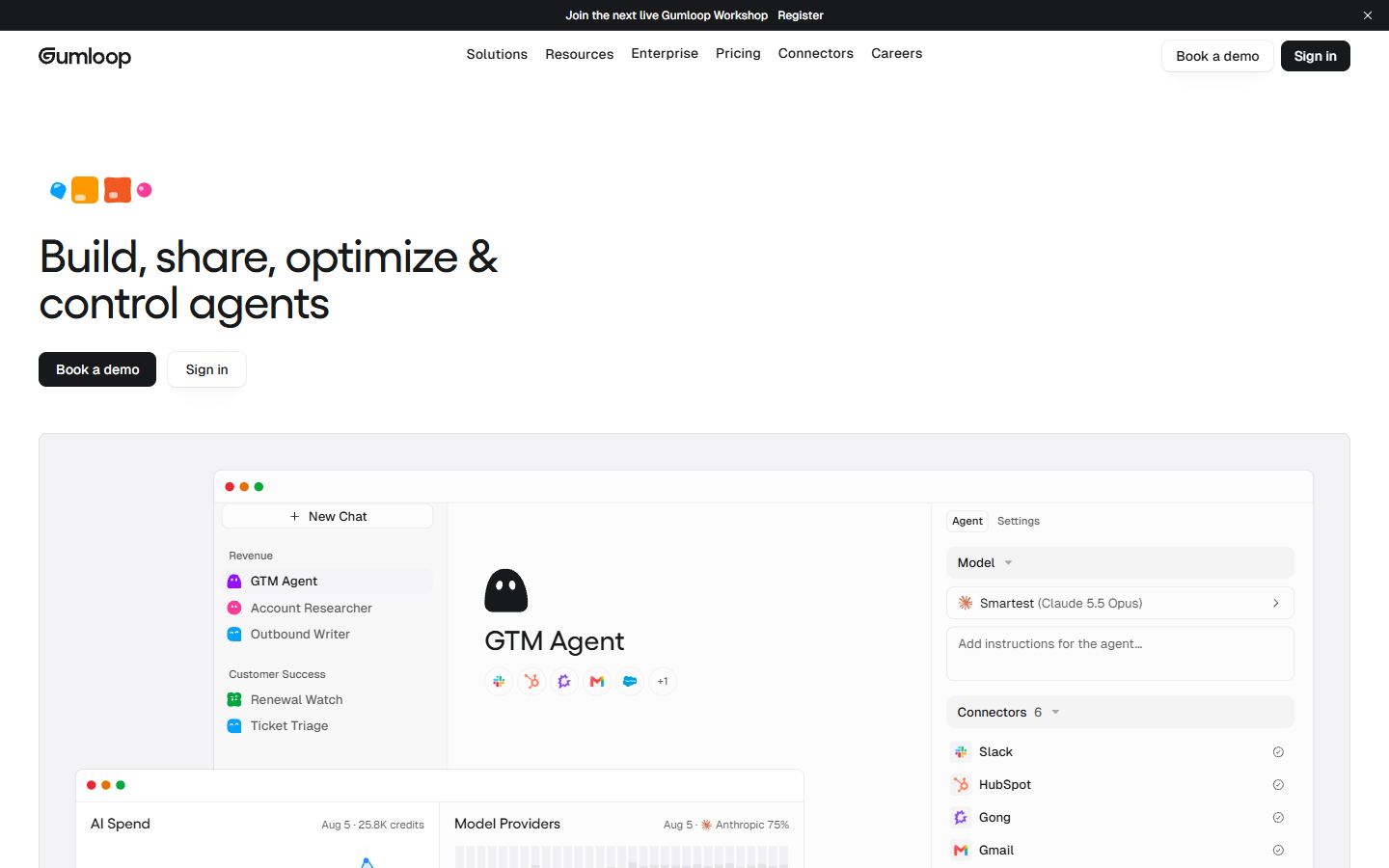
Gumloop is a visual automation platform built around AI. It brings AI into extraction, classification, decisions, branching, and follow-up actions, going beyond merely connecting two apps. It suits AI-driven multi-step workflows better than conventional automation and is easier for non-engineers to get started with than more technical platforms such as n8n.
Best for
Individuals and small teams that want to validate AI research, marketing, and operations workflows quickly with minimal coding, using visual nodes and prebuilt connectors.
Pricing
| Plan | Current price or limits |
|---|---|
| Pro plan | $37/month, including 20,000 credits per month. |
Overall assessment: Credits reflect actual node and resource consumption. Connectors, computing time, model calls, and scraping tasks can all increase usage.
Pro carries an 8% orchestration fee and concurrency limits. Unused credits on self-service plans do not roll over.
The 14-day trial can be used to test real workflows.
After cancellation, service continues until the current billing period ends. Payments are generally non-refundable.
The starting price is modest for light workflows. Frequent runs, scraping, long computations, and failures requiring reruns can push actual costs well above the base monthly fee.
Best use cases
- Scrape competitor content and organize research findings
- Generate social media calendars and marketing content
- Qualify and score leads and handle follow-up
- Run SEO checks, aggregate data, and generate reports
- Connect Slack, CRM, documents, and other business tools into AI workflows
- Extract, classify, and validate data from multiple sources and send notifications
Pros
- A natural fit for AI workflows: Supports classification, decisions, and branching rather than only linear app connections.
- A faster start for nontechnical users: The interface, nodes, and prompting assistance make the first workflow easier to build.
- Convenient integration and centralized management: Reduces the burden of managing model keys, connections, and multiple automation tools separately.
- Support resources: I would check what help is available from the support team and the community.
Cons
- Questions about complex-workflow reliability: I would test complex tasks for freezes, mid-run failures, and recurring errors.
- Failed runs can still consume credits: Debugging and reruns can increase both time spent and fees.
- Easy to use does not mean no learning curve: With many features and choices, new users may still struggle to find a starting point or diagnose errors.
- Privacy policies vary by plan: Self-service content may be used to improve models. Do not assume enterprise data commitments apply to every user.
Who it is for
- Individuals and small teams building AI marketing, research, or operations workflows quickly
- Nontechnical users who do not want to maintain model APIs, code, and infrastructure themselves
- Teams able to test costs and reliability on small, real tasks first
- Use cases requiring AI to classify, decide, and branch—not just generate text
Who it is not for
- Users requiring strictly offline operation or local deployment
- Sensitive-data workflows that cannot accept the self-service AI-training policy
- Critical businesses requiring deep low-level control, complex auditing, or highly deterministic execution
- Users unwilling to monitor credits, handle failed tasks, or set cost safeguards
Hands-on experience
I used Gumloop for about a month to scrape competitor content, build a social media calendar, qualify leads, and run basic SEO checks. I found the nodes and triggers easy to understand. In my own use, Gumloop saved me about eight hours a week. I could build the first version. The real friction came once a workflow became an everyday tool: I had to keep checking whether it ran reliably, how many credits it consumed, and whether I retained full control over key data and workflows.
This experience highlights Gumloop’s two sides. It can quickly demonstrate that a workflow runs, but moving from “it runs” to “I can rely on it long term” still requires real execution data, cost monitoring, and failure-handling capability.
Final recommendation
Gumloop deserves a trial for its AI-native design, interface, and fast workflow building. I would not assume that an easy setup means a complex workflow is ready for production. The first version is usually easy to build, while long-term execution quality and cost control determine whether it truly fits. A judgment cannot be reduced to choosing between “easy to use” and “often fails.”
Hostinger: All-in-One AI Website Builder and Hosting Platform

Product overview
Hostinger is an all-in-one website-building and hosting platform for individual site owners, small businesses, and budget-conscious teams. Its strengths include an approachable hPanel, centralized WordPress and domain management, and low introductory prices. Hosting, email, SSL, and backups are also in hPanel, alongside a site builder and some AI tools, making it easier to get a site online.
Best for
Individuals and small teams that want to launch a WordPress site, blog, or small-business website quickly at a low introductory cost without maintaining their own server.
Pricing
| Plan | Current price or limits |
|---|---|
| Current plan | The current official US pricing page lists Premium’s 48-month plan at $2.49/month, payable as $119.52 upfront, renewing at $10.99/month. Unlimited and Cloud Startup have similar gaps between introductory and renewal pricing. Some Black Friday or regional offers have shown $1.99/month with $95.52 upfront. The checkout price takes precedence. |
Overall assessment: Compare the full upfront payment, renewal price, domain and email costs after free periods expire, backup tier, resource limits, and refund eligibility. The homepage’s monthly figure does not capture those conditions. The official refund framework is 30 days, with exceptions for domains, certain add-ons, some payment methods, and policy violations.
Best use cases
- Build personal blogs, portfolios, content sites, and small-business websites.
- Launch quickly with WordPress and manage domains, SSL, email, and backups centrally.
- Buy a domain and establish a basic online presence for a small brand.
- Run VPS, Node.js, or automation services if you have technical skills and can handle security, updates, backups, and troubleshooting yourself.
- Keep off-site backups of critical e-commerce operations. Avoid making a single account the sole point of control for those operations, essential email services, and your domain.
Pros
• Quick to learn: hPanel is more intuitive than traditional control panels. One-click WordPress, SSL, migration, and domain management suit beginners.
• An integrated platform: Website building, hosting, domains, email, and basic marketing tools are centralized, reducing platform switching.
• A candidate for lightweight sites: For a small WordPress or business site, I would check whether speed, stability, and features meet everyday needs.
• Human support: I would check what help is available for configuration, recovery, and purchasing issues.
Cons
• Inconsistent support escalation: Complex issues can remain stuck in AI chat, templated advice, or internal escalation without a clear resolution time.
• Business-continuity risks: If automated controls restrict my VPS or account, my website, domains, or email could be affected. For business-critical projects, I would keep external backups and a migration plan.
• Easy-to-underestimate renewal costs: Introductory discounts are substantial, but renewal can cost several times as much. Multi-year prepayment complicates migration and refund decisions.
• Variable shared resources: Performance may be inconsistent during traffic peaks, in certain regions, or with resource-intensive plugins.
• Limited developer diagnostics: Advanced logging, monitoring, API coverage, granular resource scaling, and troubleshooting capabilities are limited.
• Limited site-builder flexibility: Quick generation and basic editing are convenient, but complex designs, e-commerce layouts, and advanced customization may still need manual work.
Who it is for
First-time site owners, small content sites, budget-conscious WordPress users, and small teams willing to pay upfront and maintain their own backups.
Who it is not for
Technical teams needing phone support, detailed cloud monitoring, and resource control; business-critical systems that cannot tolerate account restrictions or lengthy escalation; and users unwilling to accept multi-year prepayment and sharp renewal increases.
Hands-on experience
I wanted a WordPress site with steady traffic without managing system updates and server configuration as I would on a VPS, so I chose Hostinger for its lower price and simpler operation. In hPanel, installing WordPress, enabling SSL, managing domains, and checking site status were straightforward; I did not need to learn all of cPanel first. After more than a year, speed and availability still met my everyday needs, and the dashboard remained manageable. Renewal made me reassess. The introductory offer was attractive, but the later price rose noticeably. I did not move immediately because the site was stable and migration would take time. Still, I now include renewal in long-term costs and keep independent backups to avoid being tied to one platform.
Final recommendation
Trial it cautiously. Hostinger’s ease of use and introductory cost are appealing for personal sites and small WordPress projects. Test speed, support, and recovery with a noncritical site first, calculate full renewal costs before buying, and keep domain control, site backups, and critical email portable.
LangChain: Development Framework for LLM and AI Agent Orchestration
Product overview
LangChain provides shared abstractions for connecting models, tools, retrievers, data sources, and multi-step workflows. Combined with LangGraph and LangSmith, it supports state management, tracing, and evaluation, making RAG and agent prototypes quick to build.
Best for
Development teams building testable applications that combine models, retrieval, tool calls, and stateful multi-step workflows.
Pricing
| Plan | Current price or limits |
|---|---|
| LangSmith Developer | $0/seat/month, including 5,000 base traces per month; usage-based charges apply above that allowance. |
| LangSmith Plus | $39/seat/month, including 10,000 base traces per month and additional deployment and team features; usage-based charges apply afterward. |
| Enterprise | Custom pricing for more comprehensive self-hosted or hybrid deployment, security controls, support, and SLAs. |
Overall assessment: The open-source LangChain framework is free to use yourself, but model APIs, vector databases, cloud resources, and engineering maintenance cost extra.
A realistic budget includes more than seats: estimate model calls, trace sampling and retention, Agent Server, and engineering operations costs.
Best use cases
- Build enterprise knowledge-base Q&A and document RAG systems.
- Develop apps that switch between model providers or use fallbacks.
- Create multi-step agents with tool calls, approvals, retries, and saved state.
- Record prompts, retrieval, tool calls, latency, and output quality in AI applications.
- Validate new models, vector databases, or data connections quickly.
Pros
• Faster development: Common modules and integrations reduce repetitive glue code.
• Flexible composition: Replace models, retrieval components, tools, and middleware according to project needs.
• A mature RAG ecosystem: Document loading, chunking, vector-store integrations, and structured-output components are readily available.
• A clear observability path: LangSmith exposes multi-step execution to help pinpoint issues in prompts, tools, or retrieval.
• Expandable production control: Move down to LangGraph when finer control is needed rather than rewriting everything.
Cons
• The learning curve spans LangChain, LangGraph, LangSmith, and a large ecosystem of integration packages.
• Even simple tasks can be wrapped in several abstraction layers, making call chains and raw requests less transparent than with a direct SDK.
• Older tutorials and class names coexist with new architectures, so examples found in searches may not match the current version.
• Cross-package version compatibility, third-party integrations, and migrations add dependency-management overhead.
• With multiple components connected, errors can originate in the model, parser, retrieval, asynchronous execution, or integration adapter, making diagnosis less direct.
• Without tracing, pinned dependencies, and regression tests, upgrades can change prototype behavior unexpectedly.
Who it is for
- Python and TypeScript teams building RAG, tool-calling, or multi-step agent systems.
- Projects needing some flexibility to replace models and infrastructure components.
- Engineering teams willing to pin versions, build evaluation sets, add tracing, and maintain regression tests.
Who it is not for
- Simple apps needing only one model, one prompt, and a little business logic.
- Business users expecting a no-code solution without understanding dependencies or asynchronous execution.
- Teams without time to maintain fast-changing AI dependencies or the budget for observability and production governance.
Hands-on experience
In an insurance-claims workflow, I needed to send claim documents into a retrieval system, then use different models for information extraction and pricing-related tasks. Direct model calls were simple initially, but as the workflow grew, prompt formatting, vector retrieval, structured output, and model switching quickly created repetitive code. With LangChain, I connected Pinecone retrieval, prompt templates, Pydantic output, and different models into one RAG pipeline. Administrators could switch models by task, and prototyping became noticeably faster.
Diagnosing failures was the real time sink. When text chunking or multi-round matching went wrong, it was hard to tell from the final output alone which layer was at fault. Without LangSmith tracing, checking multiple loops step by step was painful. Package updates could also break existing methods, so I did not follow the latest release directly in production. Instead, I pinned dependencies, saved regression samples, and tested thoroughly before upgrading. My choice is to keep LangChain for complex orchestration and use direct SDK calls for simple model requests, treating tracing fees and maintenance time as real costs rather than focusing only on the free framework.
Final recommendation
LangChain provides reusable tools for managing complexity, but it does not make complex AI systems automatically simple. Keep it if a proof of concept shows it reduces integration code and the team can handle versions, testing, tracing, and cost governance. Otherwise, narrow its scope and call provider SDKs directly for simpler steps.
Lindy: AI Coworker for Cross-App Tasks
Product overview
Lindy is an “AI coworker” combining conversational AI with cross-app automation. Beyond answering questions, it can monitor email and calendars, attend meetings, organize information, trigger follow-up actions, and perform multi-step work through Gmail, Slack, CRM, spreadsheets, and project tools. Delegating recurring workflows to a persistent assistant shows its value more clearly than an occasional AI-written email.
- Build AI agents using natural language and visual steps without writing code.
- Connect email, calendars, Slack, CRM, Notion, Google Drive, and other tools into complete workflows.
- Use scheduled tasks, meeting notes, daily briefings, email drafts, and multi-agent collaboration.
- Retain approval checkpoints for actions such as sending external emails, updating tickets, or publishing content.
- Bring morning briefings, automatic labels, drafts, and inbox Q&A directly into Gmail through the Chrome extension.
Best for
Individuals and small teams that want a persistent AI coworker to handle email, calendar, meeting, CRM, and follow-up tasks across multiple apps.
Pricing
| Plan | Current price or limits |
|---|---|
| Pricing page | As of 2026-11-24, official price pages show: |
| Free trial | $50 in credits, valid for 7 days. |
| Team | From $29.99 per active user per month, including 3,000 credits. Additional tiers include 4,000 credits for $39.99 and 5,000 credits for $49.99. |
| Add-ons | $10 per 1,000 credits. |
Overall assessment: Monthly credits reset each billing cycle and do not roll over.
Every active member who uses Lindy takes up a paid seat.
Simple questions and summaries may use few credits, but research, batch processing, database reads and updates, and complex workflows can substantially increase consumption. Teams running workflows frequently need to budget for each workflow’s run frequency, step count, model choice, and seats. The base monthly fee does not capture the actual cost.
Best use cases
- Scan the inbox twice daily and sort email into action needed, scheduling needed, awaiting reply, and no attention needed.
- Generate a follow-up draft for user approval when an outgoing email has gone unanswered for a specified period.
- Gather contacts, previous correspondence, meeting links, and a suggested agenda before a meeting, then produce notes and tasks afterward.
- Once a new customer’s contract is recorded in the CRM, send a welcome email, create a folder, add them to the project system, and schedule a kickoff meeting.
- Track event RSVPs, confirmation codes, and reminder emails in batches with less copying and pasting.
- Extract information from websites or databases, write it to spreadsheets, and generate marketing or sales content.
Pros
• Concrete task execution: It can move from reading information to writing data, scheduling, reminders, and follow-up instead of only generating text.
• Less repetitive work: Multiple verifiable examples show time savings in email, meetings, customer onboarding, and batch reminders.
• More accessible than code-based alternatives: Simple workflows and templates are relatively easy to start, including for small teams without developers.
• Clear approval boundaries: High-impact actions can wait for confirmation, allowing trust to build gradually.
• Broad applicability: It can serve as a personal administrative assistant or support sales, marketing, operations, and customer-support workflows.
Cons
• Credit consumption is not intuitive. Complex tasks may involve multiple model calls and tool actions, making monthly costs easy to underestimate.
• Complex automation needs maintenance. Combining conditions, branches, APIs, and apps requires planning, testing, and corrections. A single description will not produce a permanently reliable workflow.
• Check subscription and renewal terms. I would confirm when the trial converts to a paid plan, whether renewal is automatic, and what qualifies for a refund.
• AI workflow repairs can introduce errors. I would duplicate the workflow before letting the built-in AI modify it.
• Retest connections after updates. I would check for duplicate emails and false alerts, and see whether any connection needs reauthorization.
• Rule quality determines results. Broad instructions produce broad classification, monitoring, and output. Users still need to spell out business rules clearly.
• Some industry-specific tools lack native integrations and require HTTP, MCP, or another connection method.
• The Chrome extension is relatively new. I would test it in a real workflow before relying on it long term.
Who it is for
- Individuals and small teams spending substantial time on email, meetings, follow-up, and cross-app data entry.
- People willing to start with one clear workflow and gradually refine rules and permissions.
- Teams able to measure the value of human time and monitor credit consumption continuously.
- Business workflows requiring contextual understanding rather than simple transfer of fixed fields.
Who it is not for
- Users expecting no setup, no maintenance, and no errors.
- High-volume teams with fixed budgets that cannot accommodate variable credit consumption.
- Technical teams requiring fully predictable steps, local execution, or control of the underlying code.
- People unwilling to review high-impact actions such as external emails, customer communication, and data writes.
Hands-on experience
I initially wanted Lindy to take over some assistant work, so I configured several tasks: drafting Gmail messages from CRM data, monitoring Notion activity and updating the CRM through HTTP requests, and handling small workflows I had previously assigned to Zapier. Seeing those steps run was exciting. I even thought I might spend $300–$500 a month because it seemed capable of taking on so much substantial work.
In practice, I had to keep adjusting rules so the workflow understood the task correctly. That was a bigger hurdle than figuring out a button. Some Notion database reads and updates consumed more than 20 credits per task, and heavier tasks used even more. That made me reconsider which automations were worth keeping. Over time, I did not hand over every business workflow as planned; I mainly kept Zoom meeting records and meeting notes tied to Google Calendar. Lindy can do real work and makes it tempting to automate everything. The workflows that last, though, tend to be a few clearly bounded, consistently recurring tasks with direct time savings—not the most complex or ambitious ideas.
Final recommendation
Lindy can already handle real business tasks, particularly automating email, meetings, customer onboarding, and day-to-day operations. Several independent platforms offer specific examples of time saved. Complex-workflow debugging, credit consumption, renewal expectations, and occasional reliability issues still affect long-term value. Use the free credits for one real, frequent workflow with checkable results. Track accuracy, human interventions, and per-run cost for a week before expanding.
Make: Visual Cross-App AI Automation Platform
Product overview
Make is a cloud automation platform built around a visual canvas. It can link CRM, forms, and email with spreadsheets and marketing tools, and use webhooks and APIs to build multi-step workflows. It offers more branching and data-processing freedom than linear automation tools. Complex scenarios quickly require low-code thinking, though. Users still need to understand data structures and permissions, handle error branches, and account for API limits and execution costs.
Best for
Automation users who want a visual way to connect multiple SaaS tools and APIs and need branching, conditions, and data-processing controls.
Pricing
Official prices vary by region, currency, annual or monthly billing, and credit tier. At the 10,000-credits-per-month setting, the US page lists Free at $0; Core at $12/month billed annually or $16 billed monthly; Pro at $21/month billed annually or $28/month billed monthly; Teams at $38/month billed annually or $51/month billed monthly; and Enterprise by quotation. Some international pages may still show roughly $9/$16/$29. These are not universal global prices.
Overall assessment: Compare each workflow’s full operating cost. The lowest monthly fee does not reflect the actual outlay. Most ordinary module actions use 1 credit, while some code and AI features use different calculations. Unused credits expire, and insufficient credits stop scenarios. Small, infrequent workflows can be economical; frequent polling, batch records, and repeated testing can rapidly increase costs.
Best use cases
- Create a CRM contact, create tasks, and send notifications after a form submission.
- Route marketing leads, follow up by email, publish content, and run social media workflows.
- Sync orders, registrations, cancellations, billing, and back-office data.
- Connect services without ready-made connectors through HTTP, webhooks, or APIs.
- Build internal tools, prototypes, and customer-facing automations quickly.
Pros
• Expressive workflow design: Visual branches, filters, and data processing are more flexible than simple A-to-B automation.
• Time savings in my workflows: I used Make to reduce repetitive copying, notification handling, data entry, and transfers between apps.
• Room to extend: HTTP, webhooks, custom apps, and code are available when prebuilt modules are not enough.
• Room to grow gradually: Start with simple workflows, then support more complex operations as you learn APIs and data structures.
Cons
• Credit use is hard to predict intuitively. Testing, frequent triggers, many modules, batch data, and some AI features increase consumption. Accidentally enabling a scenario can waste substantial credits.
• Production workflows need ongoing maintenance. Expired authorization, third-party API changes, broken connections, or field changes can stop a scenario.
• Complex workflows are not truly nontechnical. JSON, arrays, webhooks, API permissions, aggregation, and error branches still need to be learned.
• Troubleshooting is not always straightforward. Simple field errors are visible, but problems spanning apps, webhooks, and external services can take much longer to diagnose.
• Check support and recovery before relying on it. I would confirm how to escalate billing issues and failed scenarios, and who handles recovery.
• Large canvases are costly to hand over. Without clear names, comments, layering, and documentation, later maintenance can become unmanageable.
Who it is for
- Individuals and small or midsize teams connecting multiple SaaS tools without building integrations from scratch.
- Marketing, sales, operations, content, e-commerce, and automation consultants.
- No-code users willing to learn API, webhook, JSON, and error-handling basics.
- Teams able to monitor credits, failed runs, and third-party connection changes.
Who it is not for
- Organizations requiring full self-hosting or all data to remain on their own infrastructure.
- High-frequency, high-volume businesses that cannot accept per-action or variable-credit billing.
- Users expecting to build once and never maintain it, without alerts or human fallback.
- Teams needing strict availability guarantees for critical workflows but planning to use only low-tier self-service plans.
Hands-on experience
I first used Make for a specific task: organizing leads after form submissions. Each submission triggered a scenario that read the name, contact details, and requirements, wrote the organized fields into customer records or a spreadsheet, created a follow-up task, and emailed a notification. Once the full flow worked, the most obvious benefit was no longer copying and pasting between apps. Inspecting each module’s inputs and outputs on the canvas also made field mappings easier to check, and noticeably fewer leads slipped through.
I later added filters, routers, webhooks, and HTTP requests for customer messages, content distribution, registrations, and billing sync. Make’s flexibility let me connect more steps, but complexity changed the experience. Arrays, JSON, permissions, and mappings took more effort to understand. External-app or multi-module failures required longer step-by-step diagnosis. Repeated testing, run frequency, and module count also increased credit consumption. I kept clearly bounded workflows such as notifications, lead organization, and task creation that could be fixed manually after failure. For orders, billing, or customer commitments, I would add alerts, error-handling branches, and human checks. Make reduces repetitive data transfer, but I have to accept ongoing monitoring and maintenance; it is not a build-it-once-and-forget-it tool.
Final recommendation
I value Make’s visual workflow builder, range of integrations, and flexibility. In my own workflows, though, there was a learning curve, and I had to account for debugging, credit consumption, and ongoing maintenance. Start with one real workflow whose failures can be remedied manually. Run it for two to four weeks and record credits, failure types, and maintenance time before extending it to critical orders, billing, or customer commitments.
MetaMuse: Personal AI Agent for Proactive Task Execution

Product overview
MetaMuse (Muse from Meta) is a personal AI agent that attempts to execute multi-step tasks proactively, going beyond Q&A chat. It aims to maintain connections to email, calendars, and social accounts, as well as health and financial data. It already shows practical value in reminders, organization, and searches, along with price comparisons, background follow-up, and personalized workflows. Its connectors and website compatibility still have shortcomings. Reliability, complex-task boundaries, and privacy risks also mean it is not mature enough to hand over your entire life.
Best for
Early adopters who want AI to connect calendars, email, and personal services and proactively organize and carry out day-to-day administrative tasks.
Pricing
Meta’s official Muse Wonder and Muse Code pages confirm the products and access points, but do not publish a verifiable consumer subscription price. I previously saw paid tiers at about $16/month on the web and $20/month on iOS. These figures are reference points only, not verified evidence.
Overall assessment: The free tier already handles reminders, email, chat, and general automation. Paying offers limited value if you rarely hit the limits or do not need Wonder for complex tasks. Official pages have not confirmed the pricing, allowances, or channel differences, so check the actual purchase page.
Best use cases
- Sort large volumes of email and identify gift cards, important items, and messages needing replies.
- Monitor calendars, weather, meetings, and deadlines and send proactive reminders.
- Organize photos, suggest prices, and generate listings for Marketplace or eBay items.
- Track vehicle condition, budgets, subscriptions, health data, and personal goals.
- Generate daily podcasts, news summaries, or career briefings automatically.
- Book fitness classes, plan travel, compare prices, and follow up over time.
- Help develop personal tools, websites, or Android apps, though deployment may not be fully automatic.
Pros
• Notably proactive: It can use calendar and contextual information to remind you about weather, tasks, and important emails without being asked.
• Useful cross-app collaboration: Email, calendars, social platforms, and personal data can form ongoing workflows.
• Less effort on complicated errands: Batch organization, continuous monitoring, and multi-step searches take fewer manual actions than with a regular chatbot.
• Highly personalized: It can remember preferences, create separate projects, and build interfaces or tools around user needs.
• Relatively clear confirmations: Purchases, sending actions, and account operations generally require user approval.
Cons
• Browsing websites and connecting external services expand privacy and prompt-injection risks. Recent security research demonstrated paths for leaking private conversations and memory. Although the researchers said the issues were fixed, that does not justify unrestricted access to highly sensitive accounts.
• Some websites block Muse. Complex job sites, hosted sites, and login-verification flows can stall.
• I would test Gmail, Facebook, Instagram, and other integrations for long waits, failed verification, blank connection screens, and unexpected disconnections.
• On Android, I would check for crashes, test whether voice features remain available, and see how much revision the output needs.
• Paying does not guarantee a quick resolution. I would check response times and escalation options before relying on support.
• I would use the free models for routine tasks, but would not assume they are adequate for advanced coding, financial work, or complex reasoning.
• Certain stock phrases can keep recurring even after the user asks it to stop using them.
• Advanced automation requires understanding permissions, backups, connectors, and task boundaries, so onboarding takes more effort than with a regular chatbot.
Who it is for
- Individuals willing to connect calendars, email, and other accounts to reduce repetitive errands.
- Productivity enthusiasts with clear workflows who will spend time configuring connectors and confirmation rules.
- People needing ongoing monitoring, recurring reminders, information organization, or multi-step research.
- Users who understand AI can make mistakes and will review important actions.
Who it is not for
- People unwilling to give Meta or cloud-based agents access to personal accounts and life data.
- Workflows requiring high certainty, compliance audits, or no human review.
- People expecting AI to handle all coding, signing, deployment, and third-party platform actions automatically.
- People unable to accept failed connectors, blocked sites, bugs, or support waits.
Hands-on experience
After signing up for Muse, I connected Google Calendar and supplied my name, time zone, and some preferences. What first distinguished it from a regular chatbot was an unprompted weather reminder before a dinner plan: it suggested bringing an extra layer. I then gave it several tasks involving comparisons across sources. It researched them in the background and returned organized results without needing me to supervise every step.
I also became used to it asking for confirmation before important actions. For payments, messages, or account operations, I still check the price, time, recipient or target, and availability because it is not always accurate. It sometimes repeats habitual phrases even after I ask it to stop. I most value proactive reminders, memory across chats, and background handling of errands, but I would not let it publish content or perform high-risk actions without review.
Final recommendation
Start with low-sensitivity data for calendar reminders, email organization, and simple research. Confirm accuracy, permissions, and reversal procedures before adding more connectors. MetaMuse’s proactive personal-assistant direction is appealing, but it still needs ongoing supervision and is not a completely reliable digital representative.
MindStudio: Visual Platform for Building AI Agents
Product overview
MindStudio is a visual AI-agent platform for individual builders, automation practitioners, and product teams. It combines workflow blocks, templates, multiple models, APIs, and custom code to move quickly from an idea to a runnable prototype.
Best for
Individual developers and small teams that want to build, test, and deploy AI agents through visual workflows and are comfortable configuring models, data, and process logic.
Pricing
| Plan | Current price or limits |
|---|---|
| Legacy MindStudio Free | $0/month plus AI usage; 1 agent and 1,000 runs per month. |
| Remy | 30-day free trial, then $99 per month for up to five builders. |
| Legacy MindStudio Individual | $20/month plus AI usage, or $16/month billed annually plus AI usage; unlimited agents and runs. |
| Business | Custom pricing. |
| Model usage | Billed separately; the company says model usage is charged at cost without markup. |
Overall assessment: Value depends on how frequently the workflows run. Low-frequency prototype users may find the combination of subscription fees and usage fees complicated. The legacy $20 plan is more compelling when it consistently replaces manual research, content preparation, or internal processes. Remy’s $99 monthly price requires a clearer, measurable return.
Access continues until the current billing period ends after cancellation. The current period is generally not prorated, and payments are normally non-refundable.
Best use cases
- Content and research workflows: Repeatedly search webpages, organize newsletter or podcast materials, and send them to Notion, Slack, or documents.
- AI product prototypes: Compare models, build interaction logic, and share a web app or API with the team for testing.
- Internal automation: Connect spreadsheets, email, webhooks, and external APIs into repeatable multi-step agents.
- Learning agent workflows: Start from templates and debug step by step to understand variables, model calls, and execution order.
- Website embedding: Put agents on product pages, but specifically test loading, permissions, and platform feature changes.
Pros
• Fast prototyping: An intuitive interface shortens the path from idea to working prototype.
• Varied models and deployment options: Switch models, APIs, and triggers by task rather than being tied to one model.
• No-code workflows with room to extend: Build ordinary flows visually and fill in complex steps with custom code.
• Practical automation: Supports web research, content production, office-tool connections, and internal apps.
• Useful debugging: Inspecting agent execution step by step makes workflow issues easier to locate than relying on conversational prompts alone.
Cons
• The many features and options can leave first-time users unsure where to start.
• Rapid updates require ongoing learning, and organizing and archiving older projects is not straightforward.
• Gaps remain in API data conversion, some integrations, and automation details. Complex flows may need custom code or workarounds.
• Model usage costs extra on top of the subscription, so the monthly fee alone does not reveal the final cost.
• Stable, verifiable app-store information about browser extensions and mobile availability is lacking.
• The product is moving from MindStudio toward Remy, while legacy plans remain available. New users need to establish which product they are buying, whether features match, and the migration direction.
• Putting all critical workflows on the platform creates vendor dependence, exposure to rule changes, and migration costs.
Who it is for
- Product managers and founders needing to validate an agent or internal tool within days.
- Automation users connecting web research, documents, email, and office software.
- Technical users who want visual editing and will add JavaScript, Python, or APIs when necessary.
- Teams willing to pilot noncritical workflows and assess long-term migration risks.
Who it is not for
- Users accepting only a fixed monthly fee, without variable model costs.
- Users unwilling to learn workflow design, testing, or debugging who expect one prompt to produce a stable system.
- People needing a verified native iOS or Android app-building experience.
- Critical business teams unable to adjust to feature, plan, or branding migrations.
- Organizations requiring independent security audits or proof of regional data hosting that have not completed enterprise due diligence.
Hands-on experience
I chose a clearly bounded task: search a few fixed websites weekly, turn changes into a newsletter draft, and send it to Notion. Visual workflows and templates meant I did not need to write an entire backend first. For repeated searches or content organization, I added custom functions and inspected each node’s output. The value was combining model selection, webpage processing, content generation, and delivery to office tools into one workflow—not just one chat.
As the workflow grew, I still had to spend time understanding variables, data formats, and failure handling; some conversion steps may still require code. Embedding support having been removed and later restored made me especially cautious. For a customer-facing product, I would not depend entirely on it without a fallback. The legacy $20 monthly fee looks modest, but model usage costs extra. I would keep the subscription only if it consistently replaced repetitive work. If directed toward Remy at $99, I would use the 30-day trial to confirm actual hours saved before deciding whether to migrate.
Final recommendation
It is worth a short trial on real tasks if you want to validate internal tools, content workflows, or API-based agents quickly. Before embedding it in customer products, relying on it for critical business, or investing long term, verify the feature lifecycle, export and alternative paths, operating costs, and service reliability.
n8n: AI Visual Workflow Platform for Technical Teams
Product overview
n8n is a visual automation platform for complex workflows, AI agents, and API orchestration, available through the official Cloud service or the self-hosted Community edition. It offers more freedom than typical pure no-code tools, but is closer to a development and operations tool with a graphical interface. Technical users can get substantial value; users unfamiliar with APIs, data structures, and error handling may quickly get stuck.
Best for
Technical teams with API, data-structure, and operations skills that need to self-host complex workflows across multiple systems.
Pricing
| Plan | Current price or limits |
|---|---|
| Pricing page | As of November 24, 2026, the official website lists these prices when billed annually: |
| Starter | €20/month for 2,500 workflow executions. |
| Pro | €50/month for 10,000 workflow executions. |
| Business | €667/month for 40,000 executions; self-hosted only. |
| Enterprise | Contact sales. |
| Community | Free to self-host; infrastructure and maintenance are your responsibility. |
Overall assessment: Value depends on the workflow. Many nodes with relatively few triggers can make per-workflow billing more manageable than per-step charges. Frequent webhooks, chatbots, multi-message conversations, and AI Assistant usage can quickly exhaust allowances, however. Self-hosting is not a cost-free substitute for a Cloud subscription: servers, monitoring, and maintenance time still cost money.
Best use cases
- Analyze meeting content, generate action items, and write them to a to-do tool.
- Create operations and performance records from tickets, CRM, or spreadsheet data.
- Build voice agents, support classification, content processing, and AI agent workflows.
- Schedule data syncs and handle webhook events, cross-system notifications, and approvals.
- Create complex automation with HTTP requests, conditional branches, loops, code, and custom nodes.
Pros
- High flexibility: APIs, code, branching, and self-hosting offer substantially more freedom than template-driven tools.
- Friendly billing for complex workflows: A workflow usually counts as one execution regardless of how many steps it contains.
- Deployment choices: Cloud provides a quick start; self-hosting suits teams needing control over data and infrastructure.
- Comprehensive AI workflow support: Combine models, tool calls, human approvals, and business systems on one canvas.
- Clear practical use cases: Examples include meeting action items, voice agents, and employee data collection.
Cons
• Production reliability is not achieved by building alone: Configure retries, error branches, Error Trigger, reconciliation, and external heartbeats proactively.
• Self-hosting has real operations costs: You are responsible for servers, databases, Redis, upgrades, backups, TLS, encryption at rest, and capacity.
• Limited support on standard plans: Starter and Pro mainly rely on forums. Account or production incidents may lack direct support with guaranteed response times.
• A substantial learning curve: Beginners need to understand APIs, JSON, credentials, webhooks, data mapping, and error handling.
• Large datasets can create memory pressure: Loops, large JSON payloads, binary files, Code nodes, and concurrency increase the risk.
• Complex workflows become hard to organize: Without sub-workflows, named nodes, and version control, later debugging costs rise quickly.
• Connectors are not a universal shield: Third-party API, OAuth, and permission changes can still break flows. Understanding the underlying services remains necessary.
• The fair-code license has commercial boundaries: Internal use is generally straightforward, but check the license before making n8n part of a customer-operated product.
Who it is for
- Individuals and teams who can read API documentation, JSON, and error logs.
- Users who want to self-host and control their data and deployment environment.
- Automation projects with complex workflows requiring code and AI orchestration.
- Production teams willing to handle testing, monitoring, backups, and version management.
Who it is not for
- Individuals expecting an out-of-the-box tool without learning technical concepts.
- Self-hosting teams with nobody responsible for servers, security, upgrades, and incident response.
- Teams needing immediate human support for critical workflows but budgeting only for standard plans.
- Users planning a full migration without estimating trigger frequency, AI allowances, and execution quotas.
Hands-on experience
I started using n8n to connect meeting notes, action items, and everyday operational data; a demo workflow alone would not meet that need. After a meeting, I extracted actions, owners, and deadlines, wrote them to a to-do tool, and synced follow-up fields to a spreadsheet. I built the first version in Cloud, connecting webhooks, AI nodes, conditional branches, and HTTP requests on the canvas, then checking each node’s inputs and outputs in the execution history. AI Builder helped produce a working draft, but I still had to verify JSON fields, credentials, and exception paths. For a simple message after a form submission, n8n offered no clear advantage over lighter tools. Its value emerged once the workflow crossed multiple systems and needed code or custom logic.
Final recommendation
Build a representative workflow with real data and test at least API failures, expired credentials, duplicate data, empty fields, large batches of data, and triggers that fail to run. Then choose n8n Cloud or self-hosting based on monthly execution volume, AI quotas, support needs, and in-house operations and maintenance capacity. n8n is a strong option for technical teams building complex automations; fully non-technical users should compare the actual build time with Make or Zapier.
Perplexity AI: Source-Backed AI Search Tool for Research
Product overview
Perplexity is a research-focused AI search tool with source links, combining web retrieval, summaries, source discovery, Spaces, and ongoing research, with execution modes such as Computer. Its strongest value is bringing those research steps into one workflow. The biggest risk is mistaking “has citations” for “the conclusion has been proven.”
Best for
Research-focused users who need to find, compare, and organize materials with sources quickly and will verify important conclusions individually.
Pricing
| Plan | Current price or limits |
|---|---|
| Free | Free; three Pro Searches per day and one Research query per month. |
| Pro | $20/month or $200/year |
| Education Pro | $10 per month for eligible users verified through SheerID. |
| Max | $200/month or $2,000/year; check the account page for Computer allowances and weekly or monthly limits. |
Overall assessment: Free is enough to test whether the search style, source quality, and interface suit you.
Pro suits frequent search, Spaces, Research, file processing, and access to multiple models. It does not include a fixed monthly allocation of Computer credits.
Education Pro offers good value for eligible students and education users.
Max makes sense only if you do intensive research or regularly use Computer or other advanced features. Most individual users will struggle to justify the cost.
Official Pro and Max descriptions currently refer mostly to weekly and monthly limits. Computer allowances, bonus credits, and promotions vary by account and over time. If your account shows one-time credits or automatic top-ups, check the purchase page for expiry, unit pricing, and whether automatic top-ups are disabled.
Best use cases
- Get oriented on unfamiliar topics through structured overviews and links to original sources.
- Compare products, technical approaches, market information, or multiple webpages.
- Retain long-term project context in Spaces and continue asking questions and organizing research.
- Summarize webpages, files, and existing materials to reduce repeated browsing.
- Run quick mobile searches, ask questions by voice, and screen specialist materials.
- Use Computer for multi-step reports, dashboards, or app building, at substantially higher cost than ordinary Search.
Pros
• Search and summaries work naturally together: Users do not need to open a dozen webpages and assemble the key points themselves. Perplexity quickly provides an overview with sources beside the answer, making it useful for initial research and mapping a topic.
• Spaces supports ongoing research: One Pro user returned to Perplexity after a full week using Gemini because of Spaces’ long-term context, search, and summaries. For personal projects with accumulating materials, this is a stronger differentiator than one-off answers.
• Clear answers with sources: I would use the direct answers and linked references as a starting point for research, then verify the underlying sources myself.
• Multiple models and research tools in one subscription: Pro offers more citations, file and image uploads, Research, image and video generation, and several advanced models. Frequent information work can involve less switching between tools.
Cons
• Citations may not support the conclusion. I am more wary of a seemingly relevant source that does not establish the claim beside it than of a missing source. Hallucinations, occasional errors, and loose citation matching still occur. For numbers, medicine, law, finance, attributed statements, or product specifications, citation counts are not enough.
• Computer credit use is not intuitive. Search itself does not consume Computer credits, but new users may not see the distinction between modes. Official examples show roughly 15–70 credits for simple facts, 350–950 for multi-step reports, 2,400–9,800 for dashboards, and potentially over 15,000 for app building. I only realized I had been using Computer when I noticed the credits falling rapidly.
• Long threads and model consistency can deteriorate. Users may need to repeat context, upload limits can interrupt workflows, and reaching an advanced model’s threshold may cause a noticeable quality change when switching models. Spaces is useful, but does not guarantee reliable retention of earlier constraints in every long conversation.
• Subscription, cancellation, and support require care. Deleting an account does not cancel the subscription; cancel through the original purchase channel. Outside special regional provisions, refund request windows are generally 24 hours for monthly plans and 72 hours for annual plans. I would check charges, credit usage, and refund terms before subscribing, and confirm how to reach support if I need help.
• The free tier provides only a limited trial of advanced features: 3 Pro Searches daily and 1 Research query monthly. That can establish the basic search experience but cannot fully simulate frequent research work.
Who it is for
- People frequently researching products, technology, markets, academic topics, or content who need to discover original sources quickly.
- People wanting fewer search tabs who will still verify important conclusions themselves.
- People using Spaces for long-term personal projects or an ongoing research library.
- People willing to distinguish Search from Computer and actively manage a credit budget.
Who it is not for
- People who expect citations to guarantee correctness and will not open sources to verify claims.
- People primarily needing deep writing, complex reasoning, or very long conversations rather than web research.
- People with little tolerance for automatic renewal, short refund windows, or automated support.
- People planning frequent complex Computer tasks without learning how the modes differ.
Hands-on experience
Negative discussion about Perplexity’s prospects once led me to step away from Pro and use only Gemini for personal AI tasks for a week. I initially liked Gemini’s performance on pure logic tasks and its Google Workspace integration. After moving my actual workflows, though, I realized I depended more on the long-term project context in Spaces than on individual answers. Gemini’s Gems did not support my ongoing work in the same way. I also missed having Perplexity condense search results into summaries and let me follow the sources further. I returned to Perplexity Pro before my subscription expired. I do not have a record of the exact amount I paid, so I cannot compare bill amounts. What I can say is that my renewal decision depended on whether Spaces, search, and summaries genuinely replaced other tools—not model names or one impressive answer.
Final recommendation
Use Free to test search results, citation matching, and Spaces against your actual workflow. Pro becomes easier to justify only with frequent use of those features. Treat Perplexity as a research starting point and source navigator, not a final authority requiring no verification. Computer can execute more complex work, but credit costs vary widely. Avoid heavy use until you understand the modes and budget.
Relevance AI: AI Agent Factory for Business Workflows
Product overview
Relevance AI has moved beyond a drag-and-drop agent builder toward an enterprise AI Factory for sales, marketing, customer success, and operations. It combines specialized agents with connectors, adding human approvals, quality evaluations, and business-outcome monitoring to complete workflows. Outreach, research, and data preparation can quickly become cross-system processes, with customer communication and internal tools included as well. The main risks are hard-to-estimate credit and model costs, unclear failure diagnostics, and rapid product changes that may affect older workflows.
Best for
Sales, marketing, customer-success, and operations teams connecting prospect research, outreach, data preparation, and approvals into multi-agent workflows they can evaluate.
Pricing
| Plan | Current price or limits |
|---|---|
| Current plan | The current public pricing page shows enterprise plans and asks users to contact sales; it does not publish a verifiable standard monthly price. A “Try for free” option remains, but public pages do not specify the complete trial allowance, renewal terms, or total production cost. Older or regional self-service pages have listed Free, Pro, and Team prices; these should not be treated as a current universal quote. |
Overall assessment: There are two cost concerns. Development, fixes, and integration setup themselves consume credits. Costs also accumulate as agents, steps, and model calls multiply unless usage is monitored continuously.
Do not ask only for the monthly plan price. Ask sales or the trial manager for average credits per run, Invent build and edit consumption, extra model fees, whether failed retries are billed, concurrency limits, overage rates, log retention, and enterprise support coverage.
Best use cases
Marketing outreach and prospect research: Connect company research, lead qualification, personalized copy, and follow-up messages. The benefit is not just text generation but less copying between tools. Reliable results still require defined fields, qualification rules, approval conditions, and exception handling.
Customer communication and internal assistants: Small-business users build chatbots, customer communication tools, and internal automation. Templates shorten setup, but advanced API integration, state synchronization, and debugging still require technical judgment.
Data preparation, dashboards, and operations: Connect external services and combine data collection, organization, decisions, and output. This suits well-defined, frequent work with checkable results—not unsupervised high-risk operations from the start.
Pros
• Quick path from idea to prototype: Templates, visual workflows, and prebuilt connectors help people without deep development experience build complex automations.
• End-to-end workflows: Put research, decisions, generation, sending, logging, and human approval in the same process.
• Concrete business applications: Real user examples cover prospect research, outreach, customer communication, CRM updates, and internal tools.
• Gradual expansion: Start with one repetitive task, then add agents, connectors, and evaluation mechanisms.
• An enterprise-governance focus: The product emphasizes permissions, approvals, audits, versions, and quality evaluation rather than chatbots alone.
• A relatively clear training policy: The company says third-party model providers do not use platform data for training or fine-tuning, and it does not train its own models without permission.
Cons
• Costs are difficult to predict, including credits, model fees, and multi-step runs. Repeated testing, fixes, and reruns during development can generate real costs before business value appears.
• Failure diagnostics and status visibility can be unclear when workflows behave unexpectedly. Processes that send email, change CRM records, or trigger customer actions need human approvals, test data, and failure alerts.
• Advanced features still have a learning curve. Low-code does not mean zero setup: API fields, authentication, mappings, prompts, error branches, and output checks need to be learned, and some integrations require manual adjustment. Demos are easier than stable production deployment.
• The product changes quickly. A newer version removed a tool-step interaction method that workflows relied on, and the website now emphasizes an enterprise AI Factory. Teams depending on particular editor behavior should verify critical flows, exports, and rollback before upgrading.
Who it is for
- Business teams with clear recurring workflows connecting CRM, email, Slack, or external APIs
- Teams wanting operations or business staff to lead prototyping with technical assistance available
- Organizations willing to configure human approvals, quality checks, version control, and cost monitoring
- Teams focused on sales, marketing, customer success, research, or internal operations automation
- Users willing to pilot one frequent workflow and expand gradually
Who it is not for
- Individuals needing only simple chat, writing, or one-off content
- Teams unable to accept usage-based billing, credit management, or enterprise quotations
- Users expecting zero setup, zero debugging, and no maintenance after launch
- Teams demanding extremely predictable per-run costs and output without being able to validate a pilot
Hands-on experience
I used Relevance AI for marketing and customer operations. First, a tool collected company information; then an agent assessed whether prospects qualified, generated personalized outreach, and organized the results in a dashboard. Setup was faster than I expected. Templates and visual flows meant I did not need to write a whole program from scratch. API connections also let me bring chatbots, social media content, and customer communication together. The real saving was less manual copying and repeated data organization—not simply having AI write a paragraph.
Deeper use brought clear hurdles. Advanced settings required tutorials and experimentation, some integrations needed manual adjustments, and failed workflows required checking inputs, tools, and outputs step by step. My operating costs fell, but I do not have a complete record of the plan and actual fees. I would not infer good value from time savings alone. I would pilot a low-risk workflow, record consumption for every run and edit, and then decide whether to add more agents.
Final recommendation
Relevance AI is worth trialing, especially with a clear, recurring, cross-system business workflow and a willingness to configure approvals, monitoring, and evaluation. Its value lies in connecting steps and tools, not the answer quality of one model.
Do not buy or deploy broadly based on a template demo alone. Start with a measurable, low-risk workflow, record success rates, manual correction time, credits, and model fees for two to four weeks, and test failure recovery, version rollback, and support responsiveness. Expand to multi-agent production workflows only when time savings and business results consistently cover all operating costs.
Slite Agent: AI Assistant for Knowledge-Base Maintenance
Product overview
Slite Agent is an AI maintenance assistant for company knowledge bases. It does more than answer questions: it connects sources such as Slack, Linear, Notion, and Google Drive, spots discrepancies between documentation and actual work, and drafts updates for human review. Proactively keeping knowledge current is its differentiator. Teams still need to validate long-term evidence for the newer agent, permissions, and credit costs themselves.
Best for
Remote or asynchronous teams with a substantial internal knowledge base that want AI to identify outdated information and propose documentation updates.
Pricing
| Plan | Current price or limits |
|---|---|
| Basic | $10/user/month billed annually; 30 Ask queries per seat per month. Full agent workflows are not included. |
| Pro | $20/user/month billed annually; 50 Agent credits per seat per month, pooled across the team. |
| Trial | 14 days with 500 credits shared across the team. |
| Add-ons | $10 for 100 credits. |
Pricing assessment: $20/person/month may be reasonable if the agent replaces some manual chasing of documentation, repeated questions, and knowledge audits. Pro offers less value for teams with few documents, infrequent updates, or only basic wiki and search needs. During the trial, record credit use by task type rather than relying on feature demos.
Best use cases
- Combine information scattered across chat, project tools, and cloud storage into company answers with supporting references.
- Monitor process, product, and project changes and remind owners to update stale documents.
- Maintain onboarding materials, product documentation, SOPs, decision logs, and remote-team wikis.
- Summarize user interviews, transcripts, and research notes to find themes and previous conclusions quickly.
- Provide company knowledge to other AI tools or internal workflows through MCP or APIs.
Pros
- More proactive knowledge maintenance than a chatbot: It identifies knowledge drift, drafts changes, and retains human approval—not just Q&A.
- Slite is relatively easy to learn: A clear interface, lightweight editing, and accessible collaboration make onboarding easier.
- AI search of internal documents: Earlier Ask and AI search features already supported finding answers in internal materials.
- Relatively transparent governance: The company describes model providers, zero retention, no training use, EU processing, and permission logic.
- A knowledge base, not an all-purpose workspace: Compared with Notion, it focuses on team documents, trustworthy answers, and current knowledge, reducing feature overload.
Cons
• Credits obscure real costs: Pro includes a shared allowance, but tasks consume it at different rates. Teams with many connected sources and frequent maintenance may need extra credits.
• Permissions and mirrored content need careful configuration: AI does not automatically repair incorrect sharing settings. Administrators remain responsible for access boundaries.
• Ordinary search, navigation, and finding deeply nested documents can be awkward.
• Tables, formatting, LaTeX, offline use, and complex workflows lag behind some established competitors.
• Integration coverage and polish may still fall short of the Notion and Confluence ecosystems.
• Users encounter occasional slowness, crashes, delayed visibility of updates, or an inconsistent mobile experience.
Who it is for
- Teams with many internal documents that have lost trust because information becomes outdated.
- Remote or asynchronous teams needing consistent SOPs, decisions, and onboarding knowledge.
- Teams willing to assign content owners and maintain approvals and permission governance.
- Users prioritizing a simple knowledge base and trustworthy answers over databases, project management, and page-design freedom.
Who it is not for
- People needing only personal notes or a few static documents.
- Teams heavily dependent on complex databases, automation, offline editing, or highly customized pages.
- Organizations unable to arrange human review of agent suggestions and unwilling to manage permissions and sources continuously.
- Enterprises requiring extensive independent long-term testing and clear ROI data for the new agent before purchasing.
Hands-on experience
I put product documentation, customer research, SOPs, and project decisions into Slite, then connected Slack and project-management tools. AI search was faster than browsing document hierarchies, and source links made answers easy to check against the originals. The maintenance workflow interested me most. When project status changed, the agent could flag potentially outdated documents and propose a draft rather than overwrite content. Ordinary search sometimes needed a more exact title, complex tables and formatting were less flexible than Notion, and loading or displaying changes could occasionally be awkward. I would use the 14-day trial to establish value, but would not buy from an official demo alone.
Final recommendation
Slite has a solid user base for lightweight editing, collaboration, and AI search. The agent’s cycle of detecting knowledge drift, drafting changes, and seeking human approval addresses a real problem. The new agent has a short track record and limited independent hands-on evidence, though. Teams need to validate credit costs, permission governance, and long-term accuracy themselves. Import real documents and sources during the trial, then test citations, stale-content detection, false positives, review workload, permissions, and credit use before paying to migrate.
StackAI: Enterprise Visual AI Agent Platform
Product overview
StackAI is a visual, no-code platform for enterprise AI agents and workflows. With drag-and-drop nodes, users can connect large language models to company documents and knowledge bases, as well as SaaS, databases, APIs, and custom tools. These connections enable intelligent Q&A and document processing, along with data extraction, research and analysis, and business automation. Built-in knowledge-base and RAG features support hybrid retrieval, reranking, and source citations. For enterprise governance, it provides human approvals and access control, as well as SSO, auditing, evaluations, and monitoring. Hosted models, Azure OpenAI, AWS Bedrock, and on-premises deployment are supported, helping teams take AI applications from proof of concept into production.
Best for
Best for teams building AI agents on top of enterprise data, knowledge bases, and SaaS systems, with controls for permissions, deployment, and auditing.
Pricing
| Plan | Current price or limits |
|---|---|
| Free plan | 500 runs per month, 2 projects, 1 seat, and Discord community support. |
| Enterprise | Custom run allowances, projects, seats, and pricing. Options may include dedicated infrastructure, solutions engineers, VPC, on-premises deployment, SSO, access controls, and priority support. |
Overall assessment: The free tier can validate a small workflow, but does not establish production costs. Model calls, run volume, team size, key connectors, support level, and deployment all affect the total. Enterprises saving substantial repetitive work may find the price reasonable; individuals and rapidly growing teams are more likely to find costs high or unpredictable.
Best use cases
- Import Excel files, documents, or internal materials into a knowledge base for model-based Q&A, summaries, and analysis.
- Extract structured data from SOWs, contracts, forms, or email and sync it to Salesforce, Asana, or other systems.
- Build agents for internal research, customer support, IT help desks, compliance screening, or financial analysis.
- Compare models, adjust prompts, and add business rules and human approvals within one workflow.
- Have a small team build a proof of concept, then involve IT to add permissions, monitoring, and deployment governance.
Pros
- Fast prototyping: Basic workflows, knowledge-base Q&A, and simple automations can become working versions quickly.
- Accessible low-code development: Nondevelopers can do some work that would otherwise require model-integration and data-processing code.
- Extensive enterprise connections: Models, sources, business systems, and human review can be combined in one workflow.
- Comprehensive deployment and governance options: VPC, on-premises deployment, SSO, access controls, and data retention settings align with enterprise purchasing needs.
- Setup support: For a complex initial configuration, I would check what help the support team can provide.
Cons
• Some pages and feature entry points are not intuitive.
• Advanced customization, third-party Python package support, or interface controls may be insufficient.
• Official examples and no-code messaging can make workflow-design effort easy to underestimate.
• Complex workflows still require understanding models, prompts, data structures, node dependencies, and exception handling.
• Even basic workflows may take one to two hours. A team production launch needs additional testing and governance.
• Enterprise pricing is not public, making costs difficult to estimate as runs and seats grow.
• I would test for freezing, connection problems, workflows that fail to load, and blank or interrupted output. I would add retries, alerts, and human review to critical workflows.
• Errors may originate in models, connectors, data, prompts, or platform nodes. Without clear diagnostics, maintenance costs rise quickly.
• Following Asana’s acquisition, the product roadmap, account system, feature integration, and long-term pricing remain uncertain.
Who it is for
- Teams with defined enterprise workflows connecting internal knowledge and multiple systems.
- Organizations needing governed AI agents rather than one-off chat answers.
- Projects involving IT or solutions staff who can handle testing, permissions, and exception design.
- Teams willing to validate a real workflow with a proof of concept and base purchasing on run volume and benefits.
Who it is not for
- Users needing only an inexpensive personal chatbot or simple content generation.
- People expecting automation without learning, debugging, or maintenance.
- Teams unable to accept custom enterprise quotes or estimate run volumes.
- Projects requiring highly customized code environments, complete local open-source control, or strong portability.
Hands-on experience
I wanted to query business data in Excel with generative AI without writing data-ingestion and model-calling code from scratch. I imported the spreadsheet into StackAI’s knowledge base, connected a hosted model, and had it answer questions from the data. This had previously felt almost impossible without code, and StackAI turned the idea into a working tool. Setup was not effortless. The initial configuration was complex, and I needed step-by-step help from support to connect the data and workflow. The value was exploring AI workflows around company data without maintaining my own backend. For occasional personal use, I would find it expensive; if it consistently saved a team repetitive analysis time, enterprise spending could make sense. I would test a small set of real data first, not put it straight into critical production just because it is labeled no-code.
Final recommendation
StackAI is worth shortlisting for enterprise agents, particularly when teams need internal knowledge, business systems, and multiple models with permissions, audits, human approvals, and deployment control. Do not buy on a demo or no-code claim alone. Start with low-risk knowledge-base Q&A, document extraction, or support triage. Test retrieval accuracy, citations, permissions, failure recovery, human correction time, and per-run cost on real data before choosing hosted, VPC, or on-premises deployment. For individuals or teams needing simple automation, its learning effort and enterprise costs may be excessive; compare n8n and Make first.
Zapier: Cloud-Based AI No-Code Automation Platform
Product overview
Zapier connects many SaaS tools through triggers and actions. Workflows can have multiple steps and conditions, with extensions through webhooks, code, and AI, plus Tables, Forms, and MCP. It is best suited to standardized, low- to medium-frequency no-code workflows. Frequent multi-step tasks increase task charges, while third-party API limits, troubleshooting, and refund policies also affect long-term use.
Best for
Individuals and small teams that want to connect popular SaaS tools without writing code and automate standardized low- to medium-frequency workflows quickly.
Pricing
| Plan | Current price or limits |
|---|---|
| Free | 100 tasks/month. |
| Professional | From $19.99/month. |
| Team | From $69/month. Starting prices do not represent the total cost. |
Overall assessment: I judge pricing by whether the cost matches the value of the workflow, not by the entry price alone. Simple, infrequent workflows are easier to budget for. Multiple actions per trigger or AI steps running on every record can add up quickly. I would weigh development and maintenance time saved against the fees. At higher volumes, I would also compare per-workflow-run billing or self-hosted options. I would check refund terms separately: the official policy generally treats monthly plans, annual plans, renewals, upgrades, and add-ons as non-refundable. I would not count on a prorated refund for low usage, changed business needs, or accidental renewal.
Best use cases
- Write form submissions to Google Sheets, CRM, or a database.
- Notify Slack, email the team, and update the sales pipeline when a new lead arrives.
- Log, route, and send reminders for support requests automatically.
- Sync data one way between Gmail, Notion, HubSpot, Salesforce, Calendly, and other tools.
- Use AI for lead classification, content extraction, summaries, and email drafts.
- Build lightweight workflows quickly for small teams without developing and maintaining a separate system.
Pros
- Quick to learn: Friendly to nonprogrammers, with simple workflows that are quick to build and test.
- Broad connectivity: Covers common office, marketing, sales, support, and data tools.
- Less maintenance: No need to manage your own servers, updates, backups, or underlying runtime.
- Clear value for simple workflows: Forms, notifications, data transfer, and CRM updates directly reduce repetitive work.
- Comprehensive enterprise governance: Higher plans provide permissions, shared connections, auditing, and security and compliance features.
Cons
• Runaway costs: Multi-step flows, frequent runs, and AI calls substantially increase task use. Individual workflows lack the native hard spending caps some users expect.
• Strict refund policy: I would not count on a prorated refund after paying annually or renewing automatically.
• Difficult complex-workflow troubleshooting: Third-party API changes, failed connections, field mappings, and multiple conditions increase diagnosis time.
• Connectors do not expose every native feature: An integration’s existence does not mean all of the app’s fields, triggers, and actions are available.
• Higher costs and governance needs at scale: Monitor task use, failed runs, loops, polling, and AI-step trigger conditions continuously.
• The free tier’s 100 tasks/month suit only experiments or very infrequent workflows.
• Native two-way sync is not supported. It usually requires two Zaps running in opposite directions, with safeguards against loops.
• Data is hosted on AWS in the US, without EU-only storage. Teams with strict data-residency needs should assess this separately.
Who it is for
- Individuals and small teams connecting multiple SaaS tools quickly without maintaining servers.
- Businesses with a limited number of automations, predictable frequency, and relatively high value per run.
- Nontechnical users willing to pay for easier learning, more connectors, and faster launch.
- Teams able to set task budgets, exception alerts, renewal ownership, and regular audits.
Who it is not for
- High-volume, high-frequency, multi-step data processing with little value per run.
- Use cases requiring strict EU data residency or native two-way sync.
- Complex integrations requiring connectors to expose every field and action of the original app.
- Users unwilling to monitor usage or expecting prorated refunds at any time after an annual payment.
- Teams with development, operations, and monitoring skills whose priority is minimizing large-scale execution costs.
Hands-on experience
I used Zapier for lead enrichment: after a form submission, AI researched the company, assessed lead fit, and drafted personalized email. The workflow was quick to automate, but about six weeks after adding three OpenAI nodes, monthly fees rose from roughly $30 to $160. One workflow used about 400 tasks in a week. I then moved an employee-count filter before the AI steps so only companies with more than 20 employees reached classification. In my workflow, AI calls dropped by about 60% right after that change. Zapier gets business workflows running quickly, but AI steps need filtering, usage monitoring, and a responsible owner from the design stage; otherwise, ease of use can quickly become an uncontrolled bill.
Final recommendation
Test Zapier with real workflows. Its connector coverage and basic usability can quickly reduce manual work. Before paying, count the actions involved each time a trigger fires, and estimate costs separately, especially for AI steps, loops, and frequent tasks. In production, configure usage monitoring, failure alerts, upfront filters, and renewal management at a minimum. Avoid expensive annual commitments before understanding the exit terms.
Frequently Asked Questions (FAQs)
1. What is a conversational AI assistant, and how does it work?
A conversational AI assistant is a software tool that understands natural language instructions and responds in a way that resembles human conversation. It uses artificial intelligence to understand context, answer questions, generate content, summarize information, and help with routine tasks. Unlike a conventional rule-based chatbot, an AI-powered conversational assistant can handle follow-up questions and adapt its responses to the context of the conversation.
2. What is a multimodal AI assistant?
A multimodal AI assistant can understand and process multiple types of content, including text, images, audio, documents, and sometimes video. For example, you can ask it to summarize a PDF, interpret charts, analyze uploaded images, or answer questions using both textual and visual information. Supported file formats and capabilities may vary by application and subscription plan.
3. How can an AI assistant improve productivity?
An AI assistant for productivity can reduce the time spent on repetitive work by drafting emails, summarizing meetings, organizing ideas, researching topics, translating text, and creating task lists. An AI-powered assistant can also support brainstorming and turn scattered notes into clear, structured content. However, important facts, calculations, and business decisions should still be reviewed by a person.
4. Which AI writing assistant is best?
The best AI writing assistant depends on your specific creative needs. Claude is often a strong choice for long documents and content refinement; ChatGPT can support brainstorming, drafting, rewriting, and content planning; Gemini may suit people who work in the Google ecosystem; and Microsoft Copilot can help with productivity tasks inside Microsoft applications. Compare writing quality, integrations, privacy controls, and pricing before choosing.
5. Can ChatGPT, Claude, and other AI assistants help with programming?
Yes. An AI coding assistant can generate code, explain unfamiliar functions, suggest fixes, create tests, and help draft technical documentation. ChatGPT and Claude can also help users compare implementation options. AI-generated code may contain security issues or incorrect assumptions, so it must be manually reviewed and tested before being used in production.
6. How should you choose an AI assistant for your needs?
Choose an AI-powered assistant by first identifying your main tasks and existing software ecosystem. For writing, long documents, and coding collaboration, compare Claude and ChatGPT. Google ecosystem users may prefer Gemini, while Microsoft 365 users can consider Copilot. For source-backed research, compare Perplexity. If you need cross-tool execution or multi-agent collaboration, also evaluate ChatGPT Work, Orkas, and automation platforms. Before deciding, test pricing, usage limits, privacy settings, integrations, and output quality in a real workflow.